
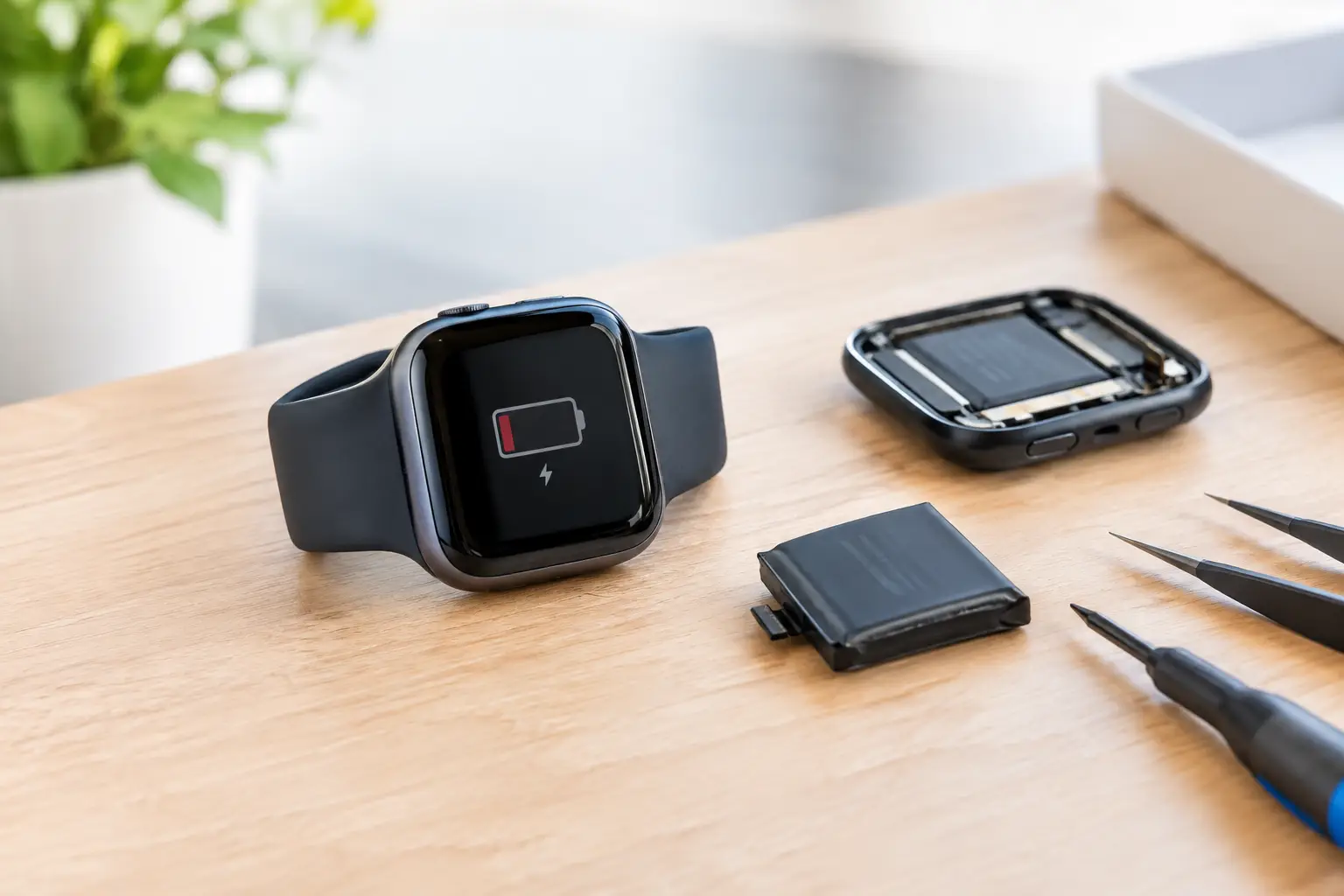
Your Apple Watch should make the day easier, not leave you checking the time on your phone because it has gone flat before lunch. If it no longer lasts through a normal day of messages, workouts, travel and calls, an Apple Watch battery replacement could be the practical fix. A worn battery is common with heavily used watches, and acting early can save a lot of daily frustration.
The key is separating normal battery drain from a battery that is genuinely reaching the end of its useful life. A change in charging habits, a new software update or poor mobile signal can all shorten runtime temporarily. But when the problem persists, professional testing gives you a clear answer and helps you avoid paying for the wrong repair.
Signs Your Apple Watch Battery Is Worn Out
Lithium-ion batteries gradually hold less charge as they age. There is no single date when every Apple Watch battery fails: how often you charge it, whether it is exposed to heat and how intensively you use GPS, mobile data and workout tracking all make a difference. Still, a noticeable decline in reliability is worth investigating.
The clearest warning signs include:
- Your watch needs charging much earlier than it used to, even on a light-use day.
- The percentage drops sharply, jumps unpredictably or falls from a reasonable level to empty.
- It switches off unexpectedly, particularly during workouts, calls or contactless payments.
- It becomes unusually warm while charging, or the back of the watch appears to be lifting.
That last sign needs prompt attention. A swollen battery can place pressure on the display and internal components. Stop wearing and charging the watch if the screen is lifting or the case looks distorted, then arrange a professional assessment.
A battery issue can also feel less obvious. Perhaps the watch only gets through a day when Low Power Mode is on, or it loses charge overnight while sitting on the bedside table. If this is a new and consistent pattern, it is not something you simply have to put up with.
Check the Cause Before Replacing the Battery
Before booking a repair, rule out a few common causes of faster drain. Check whether the problem started immediately after installing an update, changing your watch face or adding a new app. Background app activity, frequent notifications, always-on display settings and weak mobile reception can all make a noticeable difference.
Restarting both the watch and paired iPhone can clear a minor software issue. It is also sensible to make sure the watch is running the latest compatible watchOS version. If battery life remains poor after several normal charging cycles, the issue is more likely to be hardware-related.
Where available on your model and watchOS version, Battery Health settings can provide useful context. A reduced maximum capacity supports the case for replacement, but it should not be the only factor. A watch can still have an acceptable displayed capacity and perform badly due to irregular shutdowns, charging faults or another internal issue. That is why a hands-on diagnosis is more useful than guessing from one screen.
When Apple Watch Battery Replacement Makes Sense
Battery replacement is usually worthwhile when the rest of the watch is working well. If the display is clear, touch response is reliable and the watch still suits how you use it, a fresh battery can extend its usable life and restore the convenience you bought it for.
It is especially sensible for a watch you rely on for commuting, fitness tracking, work notifications or contactless payments. Replacing a tired battery can be better value than replacing a whole device simply because it cannot hold charge.
There are occasions when repair may not be the best route. An older watch with a badly damaged screen, water damage, charging problems and a weak battery may need a broader assessment. Similarly, if you need features that your current model cannot support, such as newer health tools or improved connectivity, upgrading could make more sense. An honest repair shop should explain the condition of the device and let you decide, rather than pushing a repair that does not offer good value.
What an Apple Watch Battery Replacement Involves
Apple Watches are compact, tightly sealed devices. Replacing the battery is not like changing batteries in a household item. The screen needs to be opened carefully, delicate internal connectors must be handled correctly and the watch must be reassembled with proper attention to the display seal.
A professional repair starts with checking the symptoms. The technician should confirm whether the battery is the likely cause, inspect the casing and screen for existing damage, and test charging behaviour where possible. This protects you from spending money on a replacement when the real fault is a damaged charging component, software problem or another issue.
The old battery is then removed and replaced with a suitable quality part. Once reassembled, the watch should be tested for charging, power-up, touch response and core functions. The exact turnaround depends on the model, the condition of the watch and parts availability. Many straightforward jobs can be completed quickly, but a proper repair should never be rushed at the expense of safe workmanship.
Water resistance deserves a realistic conversation. Apple Watch models use seals and adhesives to help protect against water, but opening the device can affect that protection. A careful repair includes attention to the seal, yet no repairer should promise that an opened watch will perform exactly like a factory-sealed device in every wet environment. Avoid swimming, showering or exposing the watch to water until you have been advised on its condition after repair.
Why DIY Battery Replacement Is a Risky Shortcut
It can be tempting to order a low-cost battery kit and attempt the repair at home. The problem is that Apple Watch screens are easy to crack during removal, and the internal flex cables are small and vulnerable. A damaged display can turn a battery job into a much more expensive repair.
Cheap replacement batteries also vary widely in quality. Poor cells may offer disappointing runtime, overheat, fail to charge correctly or swell prematurely. Adhesives and seals matter too, particularly on a device worn daily on your wrist and often exposed to rain, sweat and handwashing.
For most people, the saving is not worth the risk. Professional repair provides a diagnosis, suitable parts, careful fitting and testing afterwards. It also gives you someone to speak to if the device has an unexpected issue after the work is completed.
Preparing Your Watch for Repair
A little preparation helps the appointment go smoothly. If your watch still powers on, make sure it is paired to your iPhone and backed up through your normal iPhone backup process. You should also unpair the watch before handing it in if requested, as this removes Activation Lock and protects your account.
Bring the charger if the fault relates to charging or if you have noticed an intermittent issue. Describe when the drain happens: for example, during exercise, overnight, only on mobile data or after the watch reaches a certain percentage. Small details can make diagnosis faster and more accurate.
If you need a quick, trustworthy assessment in central London, Best Tech Repair at Piccadilly Circus Underground Station can check the watch and explain the sensible next step. You will know whether a battery replacement is likely to solve the problem before committing to work.
Getting More Life From the New Battery
Once the battery has been replaced, normal charging habits can help it stay healthy for longer. Avoid leaving the watch in high heat, such as on a sunny windowsill or in a hot car. Use a reliable charger and cable, keep the charging surfaces clean, and avoid letting the watch regularly run completely flat.
You do not need to obsess over every percentage point. Use the watch as intended, but pay attention if its behaviour changes suddenly. A gradual reduction in runtime over years is expected; abrupt shutdowns, overheating or a lifting screen are reasons to have it checked.
A reliable watch should fit around your life, whether you are catching the Tube, heading to the office or tracking an evening run. If yours is spending more time on the charger than on your wrist, a proper diagnosis is the quickest way to get back to using it with confidence.