
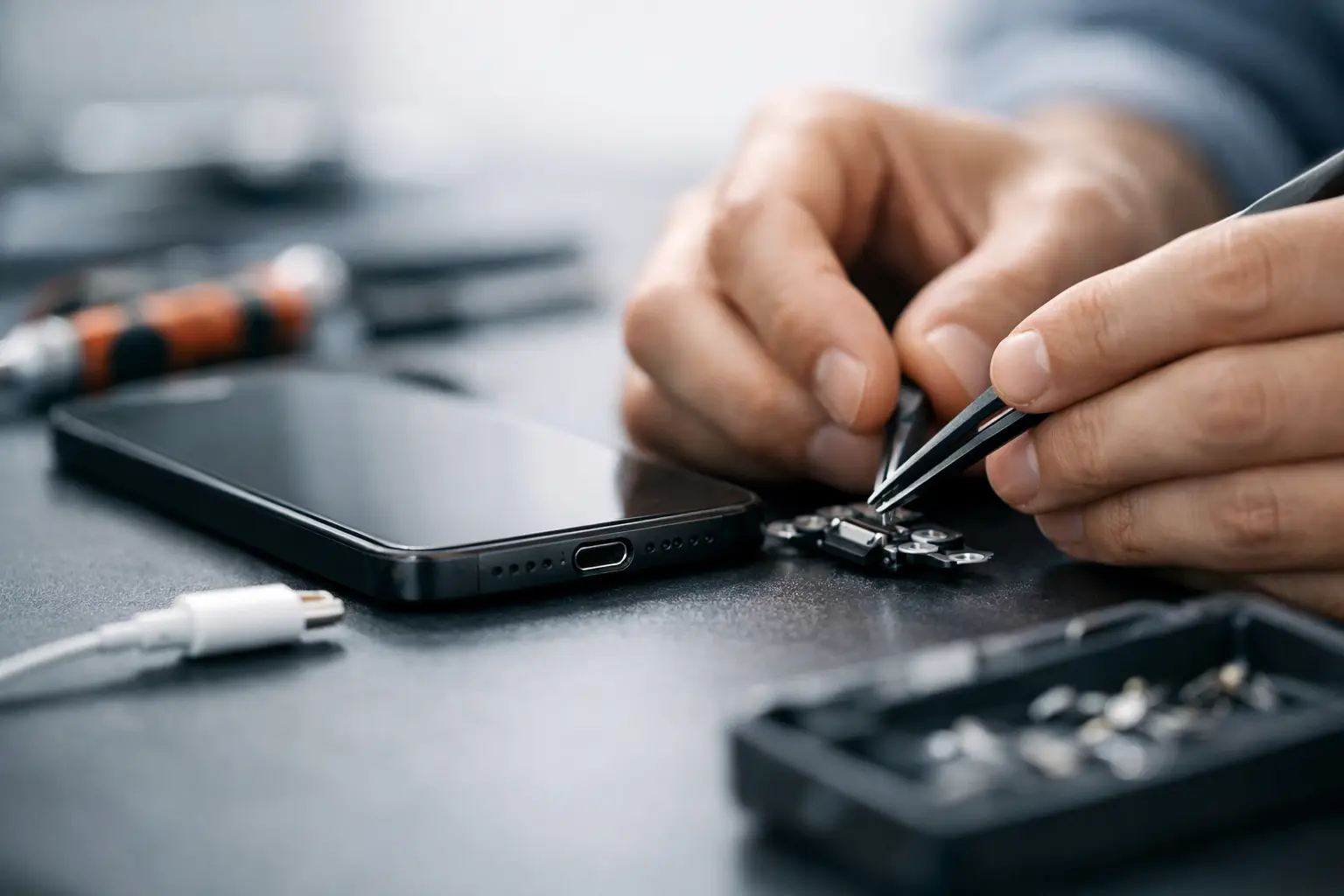
Your phone only charges if the cable is held at a strange angle. Your tablet keeps connecting and disconnecting. Your laptop shows power for a second, then nothing. When that starts happening, charging port repair usually moves from a minor annoyance to an urgent job very quickly.
A faulty charging port can leave you without maps, tickets, banking access, work files or a way to contact anyone. For most people in London, that is not a small inconvenience - it can derail the whole day. The good news is that not every charging problem means major internal damage, and in many cases the fix is straightforward once the real cause is identified.
What a faulty charging port looks like
The obvious sign is that your device is not charging properly, but the symptoms can vary more than people expect. Sometimes the battery percentage rises very slowly. Sometimes the connection cuts in and out with the slightest movement. In other cases, the charger fits loosely, the device gets unusually warm, or charging stops altogether.
You may also notice data transfer problems if you use the same port to connect to a computer. That can be a useful clue. If both charging and data functions are unreliable, the port itself becomes a more likely suspect.
There is a catch, though. Similar symptoms can also come from a worn cable, a faulty plug, battery failure, liquid exposure, dirt packed into the port or damage to the charging circuit on the motherboard. That is why a proper diagnosis matters before anyone starts replacing parts.
Before you book charging port repair
There are a few sensible checks worth trying first. Use a different cable and power adaptor that you know work properly. Check the port under a light for compacted dust or lint. Pocket fluff is a common culprit, especially with phones carried around every day.
Be careful here. Trying to dig debris out with metal tools can bend the internal pins or cause a short. A port that might have needed a simple clean can turn into a full repair if it is handled roughly. If the device has been exposed to liquid, do not keep testing it on charge. That can make things worse.
If you have already swapped cables and plugs and the issue is still there, it is usually time for an expert assessment. The longer a damaged port is used, the greater the chance of further strain on the connector or the board behind it.
Why charging ports fail
Daily wear is the biggest reason. Charging ports are used constantly, often in a rush, often one-handed, and not always gently. Over time, repeated plugging and unplugging can loosen the connector or damage the tiny contacts inside.
Dust and lint are another major factor. Even a small build-up can stop the charger from seating correctly. That creates a weak connection, and weak connections often lead to heat, inconsistent charging and extra wear.
Accidental force is also common. Yanking the cable out, using the device while it is plugged in, dropping it with the charger attached or knocking the cable sideways can all damage the port. With laptops, pressure on the charging socket can also affect the surrounding mount or internal solder points.
Liquid damage makes things less predictable. In some cases, the port corrodes and fails over time rather than immediately. A device may seem fine for days, then suddenly stop charging properly. That is one reason post-liquid issues should never be ignored.
When charging port repair is the right fix
If the port is physically loose, visibly damaged or no longer holding the cable securely, charging port repair is often the most sensible solution. The same applies when charging only works intermittently after cables and adaptors have been ruled out.
For some devices, the charging port is a separate component that can be replaced relatively efficiently. For others, particularly certain laptops and premium smartphones, the repair can be more involved because the port is integrated with other parts or attached directly to the board. That does not always mean the job is difficult, but it does mean the method and cost can vary.
This is where honest advice matters. If a repair is worthwhile, you should be told clearly what needs doing and why. If the issue goes beyond the port itself, that should be explained before any work starts.
Repair or replace the device?
It depends on the age of the device, the overall condition and the extent of the damage. If your phone, tablet or laptop still performs well and the charging fault is limited to the port, repair is usually the better value option. It gets you back up and running without the cost and hassle of replacing everything.
If the device has multiple faults, severe liquid damage or board-level issues alongside the port problem, the decision becomes less straightforward. In those cases, a good repair shop should talk you through the trade-offs rather than pushing one option blindly.
For most people, the real cost is not just the repair bill. It is downtime. Being without your device for days can be more disruptive than the fault itself. That is why fast diagnosis and same-day turnaround matter so much for charging problems.
Why DIY charging port repair is risky
Online videos can make charging port repair look easier than it is. On some models, getting to the port involves heating adhesive, lifting fragile screens, removing tiny screws, disconnecting delicate internal components and then fitting the correct replacement part without damaging anything else.
Even when the repair seems simple, there is room for costly mistakes. A torn flex cable, damaged battery, stripped screw or poorly fitted screen can turn a targeted repair into a much bigger one. On devices with water resistance, proper reassembly also matters if you want the seals restored as well as possible.
There is also the issue of misdiagnosis. Many people replace the port only to discover the real problem was the battery, charging IC or motherboard. A professional assessment saves time and often saves money too.
What to expect from a professional repair
A proper service should start with diagnosis, not guesswork. The technician should check the charging behaviour, inspect the port, test with known working accessories and look for signs of related damage. If the issue is dirt or minor obstruction, a careful clean may be enough. If the port has failed, replacement may be recommended.
Good repair work is about more than swapping parts. It is about making sure the connection is stable, the device charges correctly and there are no hidden issues left behind. Transparent pricing helps as well. Nobody wants to hand over their device and wait for a surprise cost later.
For busy customers, speed matters. If your phone is essential for commuting, work or travel, you need a repair service that treats the problem with the urgency it deserves. That is why many people choose a central walk-in option such as Best Tech Repair, especially when they need help the same day rather than next week.
Phones, tablets and laptops all fail differently
On smartphones, lint build-up and mechanical wear are common. On tablets, the larger form factor can put more strain on the charging cable while in use, which sometimes weakens the port over time. Laptops often face a different issue - stress on the DC jack or charging socket, sometimes combined with damage to solder joints or the power circuit.
That difference matters because the right fix for one device is not always right for another. A reputable technician should understand the common weak points across brands and models and explain the likely repair path in plain English.
How to prevent the problem coming back
Once the port is repaired, a few simple habits can help extend its life. Avoid forcing the cable in if it does not feel aligned. Do not yank the lead out by the cord. Try not to use the device heavily while it is plugged in if that puts sideways pressure on the connector.
It also helps to keep the port clean and store the device somewhere that is less likely to fill with fluff and debris. Small habits make a bigger difference than most people realise. Charging ports are tough enough for normal use, but they do not respond well to constant strain.
A charging issue rarely improves on its own. If your device only powers up when the cable is balanced just right, that is your warning sign. Get it checked before a frustrating fault turns into a completely dead device at the worst possible moment.