
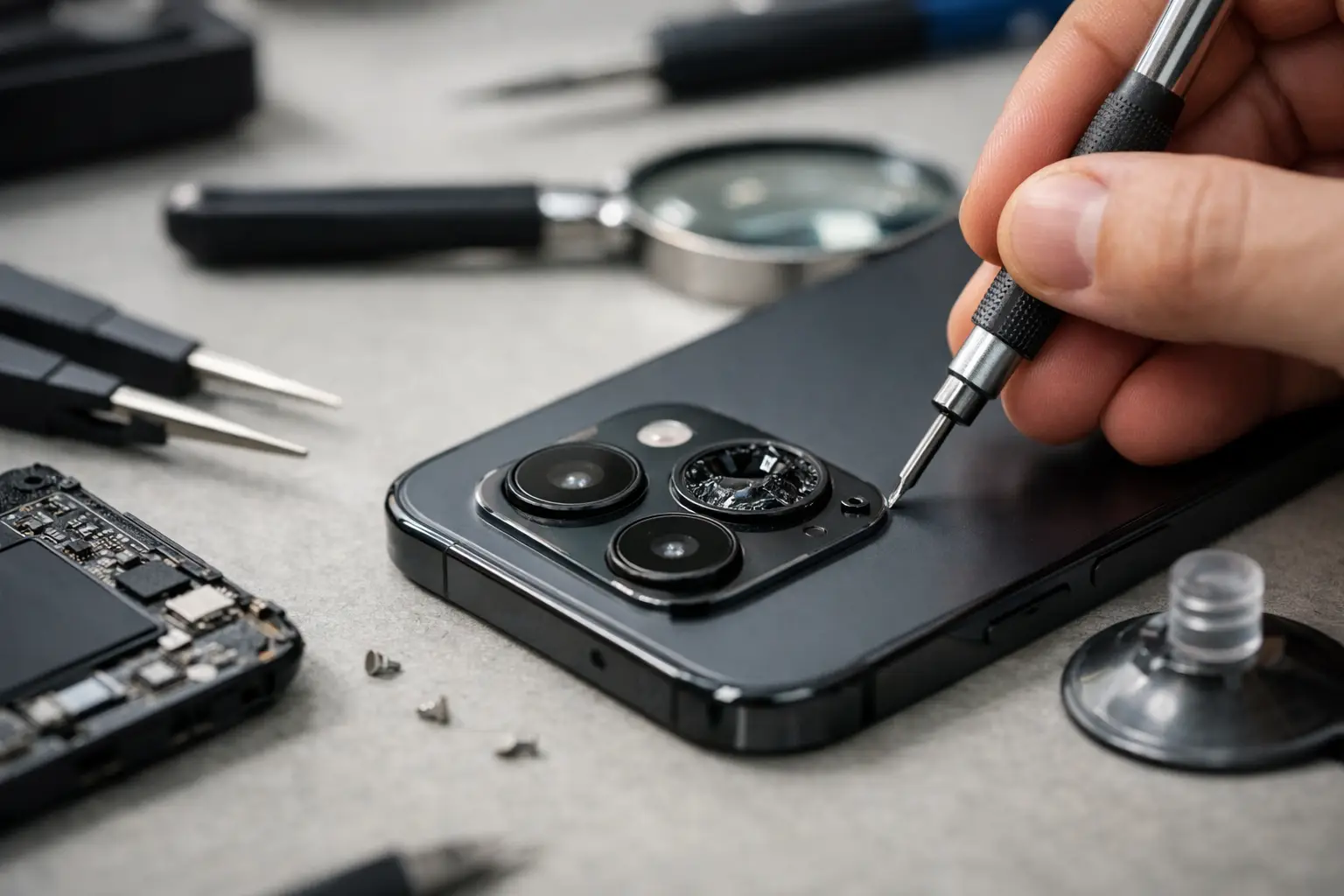
You usually notice a camera fault at the worst moment - when you need to scan a QR code, join a work call, capture travel plans or prove where the courier left your parcel. If you need to fix broken phone camera problems quickly, the first step is working out whether you are dealing with a software glitch, accidental damage or a failed camera module.
What a broken phone camera actually looks like
Not every camera problem means the camera itself has failed. Sometimes the issue is obvious, such as a cracked lens cover or a black screen when you open the app. In other cases, it is less clear. Photos may come out blurry, the camera may shake or buzz when focusing, the app may keep closing, or the rear and front cameras may stop switching properly.
That difference matters because the fix is not always the same. A dirty lens is a quick job. A damaged autofocus motor or internal impact damage is not. The aim is to avoid wasting time on home fixes that will never solve a hardware fault.
Before you try to fix a broken phone camera
Start with the basics. Clean the lens gently with a dry microfibre cloth. It sounds simple, but pocket lint, fingerprints, make-up residue and condensation can all ruin image quality. If your photos suddenly look soft or hazy, this should be the first thing you check.
Next, remove the phone case if it sits too close to the camera cut-out. Some cases block the flash, interfere with focus or press awkwardly around raised camera housing. If the issue started after changing your case, that is a useful clue.
Then restart the phone. A full restart can clear temporary app conflicts, memory issues and camera software freezes. If the camera opens again and works normally afterwards, you were likely dealing with a software hiccup rather than physical damage.
Common signs you need to fix a broken phone camera professionally
The camera is black on screen
If the camera app opens but shows only a black image, the cause could be software, but it often points to a failed camera sensor or a disconnected internal component. If both front and rear cameras are affected, the issue may be board-related or linked to the operating system. If only one camera fails, the problem is more likely to be that individual module.
The image is blurry all the time
A blurred photo does not always mean shaky hands. If every shot is fuzzy, even in good light and at different distances, the autofocus system may be damaged. This often happens after a drop, even when the screen looks fine. On newer phones with advanced multi-lens systems, one damaged component can affect the whole camera experience.
The camera shakes, rattles or will not focus
If you hear buzzing or feel vibration when the camera tries to focus, the stabilisation or autofocus mechanism may have been damaged. That is a repair issue, not a settings issue. Continuing to force the camera app open will not improve it.
The lens glass is cracked
This is one of the most common faults after a drop. Even a small crack in the outer lens cover can cause glare, flaring, soft focus and poor night photos. The internal camera may still be fine, but the broken glass needs replacing before dust and moisture make things worse.
Safe things you can try at home
If there is no visible damage, there are a few sensible checks worth doing.
Make sure the camera app has not been restricted by your phone settings. On some devices, permissions can be altered after an update or after installing privacy or security apps. Check that the camera is allowed to run properly.
Try a different app that uses the camera, such as video calling or scanning. If the camera works there but not in the default camera app, you may be dealing with app corruption rather than hardware failure. Clearing the app cache can help on some Android devices. On iPhones, updating iOS and closing background apps may resolve conflicts.
Also check whether the problem started after a recent software update. Updates can occasionally cause camera bugs, especially on older handsets. If a phone is otherwise working normally and the camera fault appeared overnight, software is more likely than sudden hardware failure.
That said, software fixes only go so far. If the lens is cracked, the image jumps, the app crashes constantly after a drop, or the phone has had water exposure, home troubleshooting is unlikely to solve it.
When DIY can make things worse
A lot of people search for ways to fix broken phone camera faults themselves and end up causing extra damage. The biggest risk is trying to pry off broken lens glass without the proper tools. Tiny shards can slip into the camera housing, scratch the sensor area or compromise the seal around the module.
Another common mistake is using compressed air, wet wipes or household cleaners directly on the lens opening. Moisture can spread where it should not, and strong cleaning products can damage coatings on the glass.
Opening the phone is a bigger gamble. Modern smartphones are tightly sealed, adhesive-heavy and packed with delicate flex cables. Even if you manage to get inside, replacing the wrong part or damaging nearby components can turn a camera repair into a much more expensive job.
How a proper camera repair is diagnosed
A good repair starts with identifying the real fault, not guessing. That means checking whether the issue sits with the outer lens, the camera module, the app, the connections inside the phone or the motherboard.
For example, a phone that still takes selfies but cannot use the rear camera may only need a rear module replacement. A phone that has blurry images after a drop might need a new camera unit, but if the lens glass is cracked too, that should be addressed at the same time. If the camera and flash have both stopped working, a deeper internal fault may be involved.
This is where professional diagnosis saves time. Instead of paying for the wrong part or spending days trying random fixes, you get a clear answer on what has failed and whether repair is worth it.
Is it worth repairing the camera or replacing the phone?
It depends on the age of the handset, the cost of the repair and how heavily you rely on the device. If the phone is otherwise in good condition, camera repair is often the better value option. A failed camera module or broken lens cover is usually far cheaper than replacing the whole handset, especially on premium models.
If the phone has multiple issues - poor battery, damaged screen, charging faults and camera failure together - replacement may make more sense. But many people assume a broken camera means the phone is finished when it is actually a straightforward repair.
That is especially true if you need the phone working again quickly. For commuters, students, office workers and visitors in central London, being without a phone for days is not realistic. Fast repair is often the deciding factor.
How to avoid camera damage happening again
Camera systems are more exposed than they used to be. Raised lenses make modern phones easier to damage when dropped or placed on rough surfaces. A decent protective case with proper lip coverage helps, but it should not interfere with the lens.
It is also worth keeping the phone out of overfilled bags and tight pockets where pressure can build around the camera housing. If the phone has already had one impact, treat any small lens crack seriously. What starts as a cosmetic issue can turn into internal damage once dust or moisture gets in.
Regular cleaning helps too. Not because it prevents all faults, but because it stops simple issues from being mistaken for major ones. A surprising number of "broken" cameras are just dirty.
If you need to fix a broken phone camera fast
Speed matters, but so does getting it done properly. If you need your phone for maps, banking, work messages, travel tickets or everyday photos, a camera fault is more than an inconvenience. The right repair should restore proper focus, image quality and reliability - not just get the app opening again.
At Best Tech Repair, we see plenty of camera faults that look minor at first and turn out to need the right replacement part and proper fitting. If your phone camera has stopped working, gone blurry, cracked or started failing after a drop, getting it checked early usually gives you the best chance of a straightforward repair.
A phone camera does more than take pictures now. It is part of how you move through the day. If yours is not working as it should, the smartest next step is a clear diagnosis and a repair you can trust.