
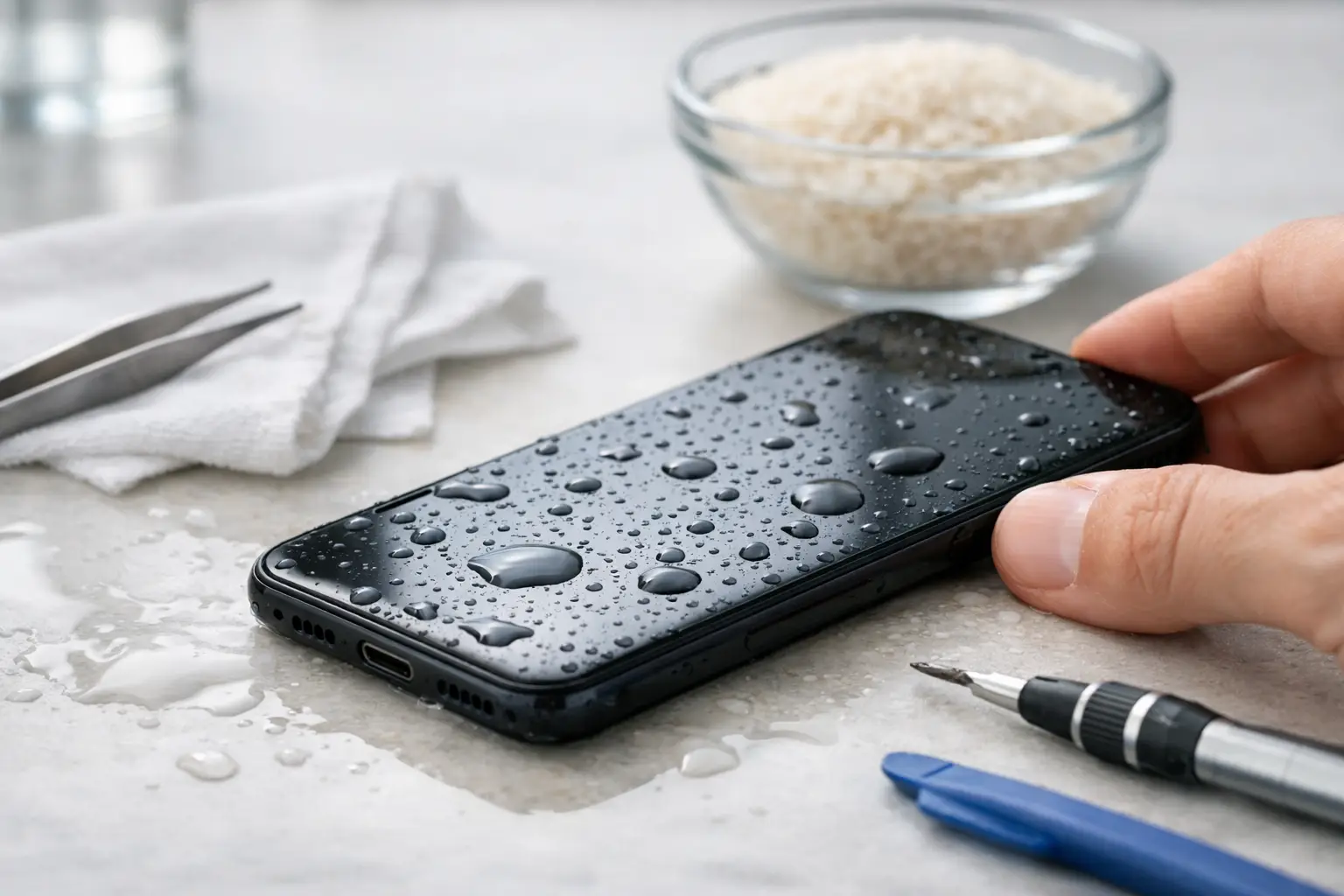
A phone dropped in a puddle, sink or pint can go from working normally to completely dead in minutes. Knowing how to fix water damaged phone problems starts with acting quickly, but not panicking. The wrong quick fix can push moisture further inside, damage the battery or make data recovery harder.
The aim is simple: stop power reaching wet components, remove surface moisture and get the device assessed before corrosion spreads. Even a phone that appears fine after a splash can develop faults days later.
What to do immediately after water damage
First, take the phone out of the water straight away. If it is charging, unplug the cable from the mains before touching the handset. Do not keep checking whether it still works - pressing buttons and waking the screen can send electricity through damp internal parts.
Switch the phone off completely. If the screen is unresponsive, do not force it to restart or connect it to a charger. On models with a removable SIM tray, take out the SIM card and tray. Remove a case, wallet attachment or screen protector if it is holding water around the edges.
Gently blot the outside with a clean, lint-free cloth. Hold the phone with ports facing down and allow any loose water to drain naturally. A few light taps into your palm are enough. Shaking it hard can drive water deeper into the charging port, speaker, cameras and internal board.
If the phone was exposed to anything other than clean water, such as seawater, a sugary drink, coffee, pool water or a toilet, professional cleaning is even more urgent. Salt, chlorine and sticky residue leave conductive deposits behind. Those deposits can continue damaging the device long after it feels dry.
What not to do with a wet phone
A few popular tricks create more problems than they solve. Avoid these common mistakes:
- Do not put the phone in rice. Rice does not reliably remove moisture inside a device, and dust or starch can get into ports.
- Do not use a hairdryer, radiator, oven or microwave. High heat can warp seals, damage the battery and loosen adhesives.
- Do not charge it, connect accessories or use a wireless charger. Electricity and moisture are a bad combination.
- Do not poke cotton buds, tissues or tools into the charging port. Fibres and bent pins can create a second repair issue.
- Do not repeatedly turn it on to test it. One successful boot does not mean the phone is safe.
Water-resistant phones are not waterproof phones. A newer handset may survive a brief splash, but protection reduces as seals age, after a drop, or following a previous screen or back-glass repair. Water resistance ratings also usually refer to fresh water under controlled conditions, not a hot bath or a rain-soaked commute.
How to dry a water damaged phone properly
Once the phone is switched off and surface water has been removed, leave it in a dry, well-ventilated room with the ports facing down. Room temperature airflow is safer than direct heat. If you have silica gel packets, placing them nearby in a sealed container can help draw moisture from the air, but do not assume this has dried the inside of the phone.
Give it at least 24 to 48 hours before considering a power-on attempt. The right waiting time depends on how much water entered and where it reached. A light splash around the charging port is very different from a phone that was fully submerged.
Even after waiting, charging should not be your first test. Check the port for visible moisture and let the phone sit longer if there is any doubt. Many newer phones display a moisture warning when a cable is connected. Take that warning seriously rather than trying different cables or adapters.
Signs your phone needs professional water damage repair
Some faults are immediate: the phone will not switch on, the display flickers, the touchscreen stops responding or the camera lens fogs up. Others arrive later as corrosion develops around connectors and circuits.
Book a professional assessment if you notice charging problems, muffled sound, distorted microphones, face recognition failures, unexpected restarts, a hot phone, poor battery life or a dim screen with lines or blotches. Fog under the camera glass is a clear sign that moisture has entered the handset.
A technician can open the device safely, inspect liquid contact indicators, disconnect the battery and clean affected areas with the correct equipment. This is not simply about drying the outside. Proper liquid-damage work looks for corrosion, residue and damaged components before a small fault becomes a board-level failure.
There is no honest guarantee that every submerged phone can be restored. The outcome depends on the liquid, the length of exposure, whether the handset had power at the time and how soon it is treated. Fast action gives the best chance of saving both the phone and the data stored on it.
Can you recover data from a water damaged phone?
Often, yes - but the best approach depends on the phone’s condition and whether it can still unlock. If it is working after drying, back it up as soon as possible using Wi-Fi, cloud storage or a computer, but only if it can do so without charging and without overheating. Prioritise photos, messages, notes, work files and authentication apps.
If the screen is dead but the phone still appears to power on, do not guess your passcode repeatedly or attempt a factory reset. A repair may be enough to restore the display or charging function long enough to retrieve your data. For phones that no longer boot, a specialist diagnosis can determine whether the issue is a replaceable part, corrosion on the main board or a more serious data-recovery case.
Be cautious with insurance and warranty decisions too. Manufacturer warranties generally do not cover liquid damage, and some insurers require the device to remain unrepaired until they have reviewed a claim. Take clear photos of the phone and note what happened before handing it over, especially if you plan to claim.
When to bring your phone in
If your phone has been fully submerged, exposed to saltwater or is showing any unusual behaviour, getting it checked the same day is the sensible choice. Waiting for it to fail can allow corrosion to spread and reduce the chance of a straightforward repair.
For commuters, workers and visitors in central London, Best Tech Repair at Piccadilly Circus Underground Station can inspect liquid-damaged devices and explain the likely repair options clearly before work begins. A proper assessment gives you a realistic answer about repair cost, turnaround and the prospects for your data.
Your phone may look dry, but what matters is what has happened underneath the screen, battery and charging port. Switch it off, keep heat and power away from it, and get help early - that is the best way to protect a device you rely on every day.
Need it fixed today?
Best Tech Repair is inside Piccadilly Circus Underground Station (Unit 4, London W1J 9HS), open 10am–10pm every day. Walk in, or book a repair online. See our mobile phone repair and data recovery pages for what we fix. Free diagnostic, and no fix, no fee.