
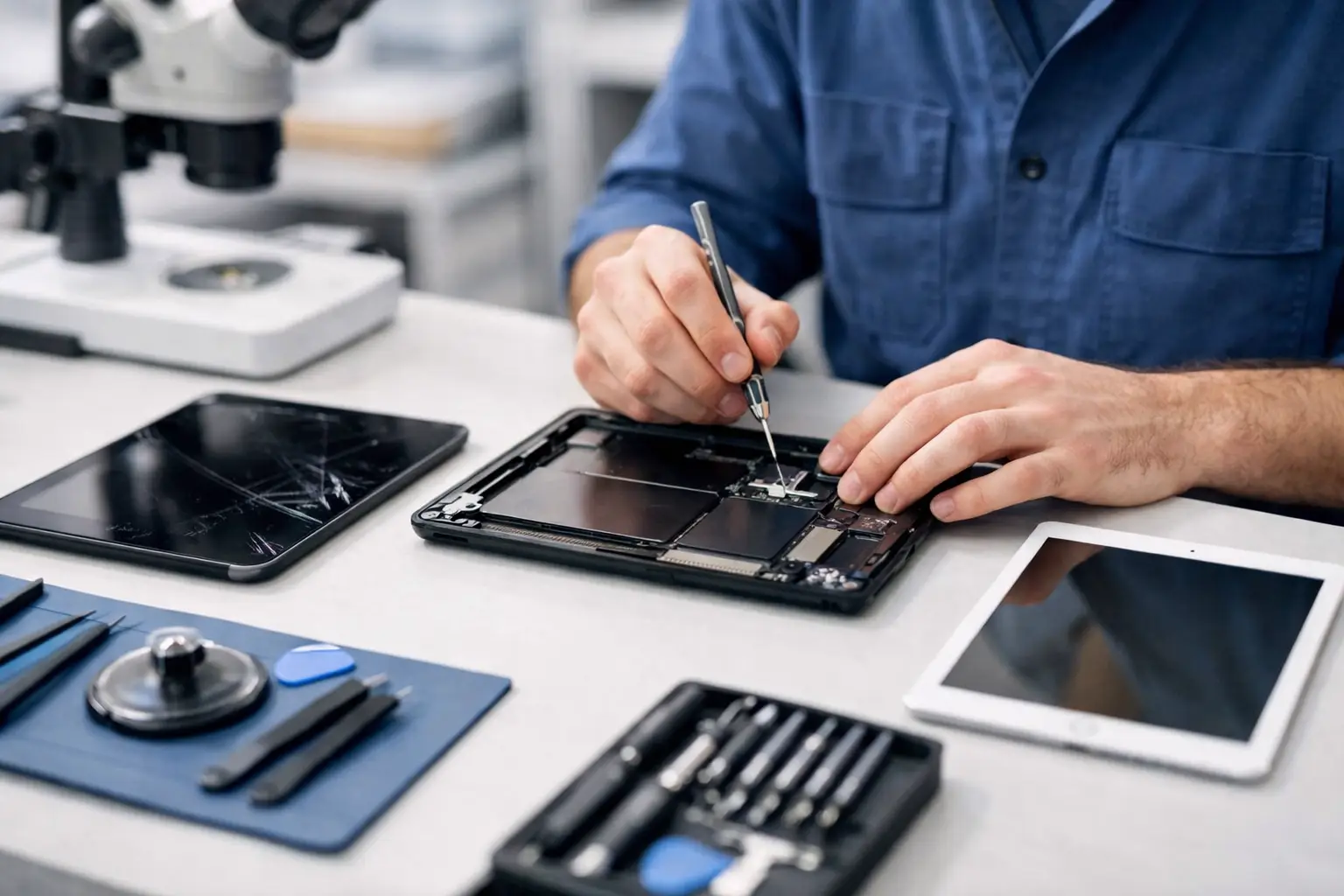
A cracked tablet screen at 8:30 in the morning can ruin more than your day. If you use your device for work, travel, study or keeping the kids occupied on the train, iPad and tablet repair quickly becomes urgent, not optional.
The good news is that most tablet faults are fixable, and often faster than people expect. The harder part is knowing whether the issue is simple, whether your data is safe, and whether the repair is worth doing at all. That is where a proper diagnosis matters.
When iPad and tablet repair makes sense
Tablets sit in an awkward middle ground. They are not as cheap as people think, but they are often treated more casually than laptops. They get carried without sleeves, used one-handed, left on sofas, packed into bags with chargers and keys, and handed to children. That is why damage tends to build up in stages.
A small crack can become a full touchscreen failure. A weak battery can turn into random shutdowns. A charging problem that seems minor can stop the device powering on altogether. In many of these cases, timely iPad and tablet repair is the cheaper option because it stops one fault from causing another.
It also depends on the device itself. A newer iPad or premium tablet is usually well worth repairing if the fault is limited to the screen, battery, charging port, speakers or software. With older models, the decision can be less straightforward. If several parts are failing at once, or the tablet is already slow due to age, replacement may be more sensible than sinking money into repeated fixes.
The most common tablet problems we see
Screen damage is still top of the list. Sometimes the glass is cracked but the display underneath still works. Other times the image has lines, black patches or no picture at all. These are different repairs, and the cost can vary depending on whether only the outer layer is damaged or the full display needs replacing.
Battery trouble is another common issue, especially on devices used daily for streaming, schoolwork or navigation. If your tablet drains unusually fast, gets hot while charging, or drops from 30 per cent to zero without warning, the battery may be worn out. A replacement can often bring the device back to normal without the cost of a new tablet.
Charging faults are easy to misread. It is not always the battery. The charging port may be loose, dirty or damaged. The cable or plug may be the real problem. In some cases, the issue sits on the motherboard. That is why guessing can waste time and money.
Software problems matter too. Tablets freeze, get stuck on the logo, refuse to update, crash during setup, or become painfully slow after storage fills up. Sometimes a software repair solves the problem quickly. Sometimes those symptoms point to hardware trouble underneath. A technician should check both before promising a fix.
Why tablet repairs are not all the same
From the outside, many faults look identical. Two tablets may both have cracked screens, but one needs a straightforward part replacement while the other has frame damage, internal component issues or touch failure caused by impact. The same goes for water damage. One splash may only affect the charging port. Another can corrode several internal components over time.
This is why repair quality matters. Cheap parts can lead to poor touch response, dull displays, weak battery performance or a device that fails again a few weeks later. Fast service is valuable, but only if the repair is done properly the first time.
A trustworthy repair service should be honest about trade-offs. If a part is available in different quality grades, that should be explained clearly. If the repair is not cost-effective, you should be told that as well. Reassurance is useful, but only when it is backed by real workmanship and clear advice.
What to do before bringing your tablet in
If the tablet still powers on, back it up as soon as you can. That one step saves a lot of stress. Photos, notes, app data and work files matter more than the hardware for many people, especially if the device is used every day.
If the screen is badly cracked, avoid pressing on it more than necessary. Continued use can make the damage worse and, in some cases, cause touch issues that were not there at first. If the tablet has been exposed to liquid, do not keep charging it to see if it recovers. Power and moisture are a bad combination.
Bring the charger if charging is the problem. A proper test is easier when the technician can rule out cable and plug issues straight away. If possible, make a note of what happened just before the fault appeared. Did it fall, overheat, stop after an update, or slowly get worse over several weeks? Those details help narrow things down faster.
Same-day service matters more than people think
Most people do not notice how much they rely on a tablet until it stops working. Students use them for coursework and note-taking. Office workers use them for meetings, email and travel. Parents rely on them on long journeys. Tourists use them for bookings, maps and entertainment. Downtime is the real cost.
That is why quick turnaround matters. A repair booked around your day is often far less disruptive than replacing the device, restoring backups, signing back into apps and setting everything up again. For many faults, same-day service is realistic if the issue is diagnosed early and the right part is available.
For people moving through central London, convenience plays a big part as well. Being able to drop a device off during a commute or while running errands is simply easier than posting it away and waiting. Best Tech Repair, based inside Piccadilly Circus Underground Station, sees plenty of customers in exactly that position - they need the problem sorted quickly and without fuss.
Repair or replace? Be practical
There is no single answer here. If your iPad or tablet has one clear fault and the rest of the device is in good condition, repair is usually the sensible move. It is quicker, less wasteful and often far better value than buying new.
If the tablet is very old, painfully slow, unsupported by current apps, and now needs a battery and screen, replacement may be the better decision. The key is not to decide based on panic. A proper assessment gives you the facts: what is wrong, what it costs to fix, how long it will take, and whether the device is likely to remain reliable afterwards.
That honesty matters. People do not want a sales pitch when their device has failed. They want a straight answer.
Choosing the right repair service
A good repair service should make things simple. You should be able to explain the issue, get a clear diagnosis, understand the likely cost, and know how long the repair will take. If something is uncertain, that should be said upfront rather than hidden behind vague promises.
Experience counts because tablets are more delicate than they look. Opening them without causing extra damage, fitting quality parts, testing properly and spotting hidden faults all require care. This is especially true with premium devices where poor workmanship can affect display quality, battery life or long-term reliability.
It also helps to choose a service that handles both hardware and software issues. Many tablet faults overlap, and passing the device between different shops wastes time. One team that can test the whole problem properly is usually the better route.
A broken tablet does not have to become a bigger problem
Most people wait longer than they should. They live with a cracked screen, a failing battery or a charging issue because the device still sort of works. Then it stops at the worst possible moment - before a meeting, during a train journey, on holiday, or right when a child needs it for schoolwork.
Getting it checked early gives you options. You may find the repair is straightforward, affordable and much quicker than expected. And even if replacement is the better call, you will know that before wasting more time on a device that is already on the way out.
If your tablet has started acting up, trust the signs. A small fault rarely stays small for long.