
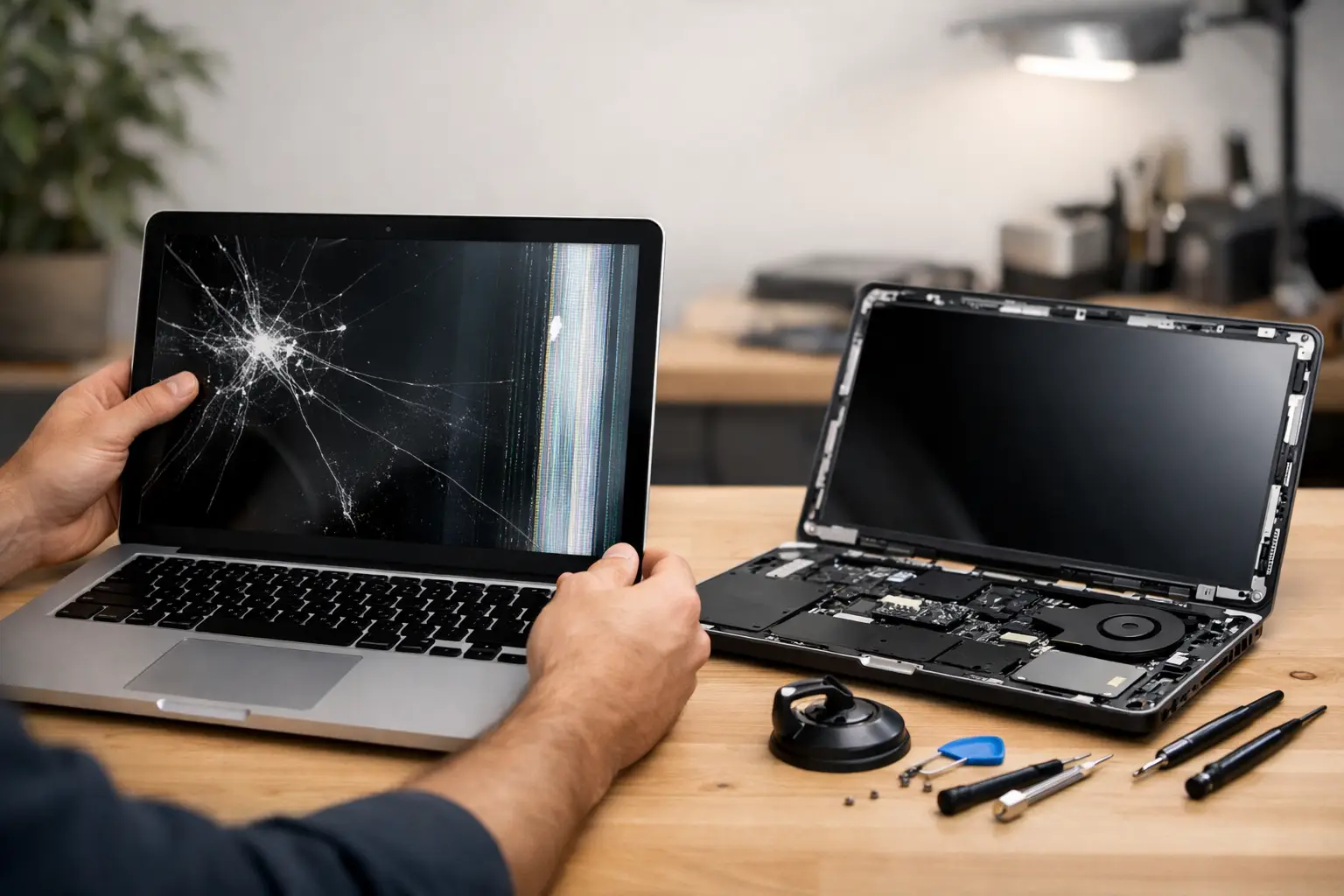
A laptop screen usually fails at the worst possible moment - halfway through a work deadline, before a lecture, or just as you are trying to check a train ticket. When that happens, laptop screen repair becomes less about the device and more about getting your day back on track.
When a damaged screen is more than a cosmetic problem
Some screen faults look minor at first. A small crack in one corner, a faint flicker, or a thin vertical line might seem manageable if the laptop still turns on. The trouble is that display problems rarely stay the same for long.
A cracked panel can spread with normal opening and closing. Pressure damage can distort the image over time. Loose internal connections may start as occasional flickering and turn into a black screen without much warning. If you use your laptop every day for work, study, travel or streaming, waiting it out often makes the inconvenience worse.
That is why fast diagnosis matters. Not every damaged display needs the same fix, and not every black or distorted screen means the panel itself is broken. Sometimes the issue is the LCD or LED panel. Sometimes it is the hinge area, the display cable, the backlight, or even a graphics-related fault. Getting the right answer early can save time and money.
Common signs you need laptop screen repair
The obvious sign is a visible crack, but plenty of screen faults are less dramatic. If the display flickers when you move the lid, shows coloured lines, has dark patches, or stays dim even at full brightness, something is wrong. A screen that works only at certain angles can point to a cable or hinge issue. A blank display with the laptop otherwise powering on may still be a screen-related problem rather than a dead machine.
Touchscreen laptops add another layer. You might have a display that still shows an image but no longer responds properly to touch, or a panel that reacts to touches you are not making. In those cases, repair depends on whether the touch layer is separate from the display assembly or fused into it.
The key point is simple: symptoms matter. Two laptops with the same black screen can need completely different repairs.
What usually causes screen damage
Accidental impact is still the biggest reason people need a screen replacement. A laptop dropped on the floor, packed too tightly in a bag, or shut with earphones or a pen left on the keyboard can crack internally even if the outer glass looks fine.
Pressure damage is also common, especially for people commuting with a laptop every day. A crowded Tube journey, an overfilled backpack, or a case without enough protection can put enough force on the display to damage the panel.
Then there is wear and tear. Hinges can stiffen or loosen, cables can weaken, and older screens can develop faults without any single dramatic incident. Spills do not always hit the keyboard alone either. Liquid can reach the display circuitry, causing lines, dimness, or total failure.
Repair or replace: what makes sense?
This is the question most people really want answered. In practice, laptop screen repair often means replacing the screen panel rather than trying to mend a cracked display itself. Once a panel is physically broken, replacement is usually the proper fix.
Where it gets more nuanced is cost versus device value. If you have a newer laptop with good performance, a quality screen replacement is often the sensible option. It restores the machine you already know, avoids the cost of a brand-new laptop, and is usually much faster than setting up a replacement device from scratch.
If the laptop is quite old, already slow, or has several other faults, it depends. Paying for a screen on a machine that also needs a battery, keyboard and charging port may not be the best spend. Honest advice matters here. A good repair service should tell you when a repair is worthwhile and when it is not.
There is also the question of urgency. For many people, especially office workers, students and travellers, the real cost is downtime. If a screen replacement gets you back up and running the same day, that can be far more practical than spending days shopping for a new device, moving files, and reinstalling everything.
Why DIY laptop screen repair is not always the bargain it seems
Online tutorials make screen replacement look straightforward. Remove the bezel, disconnect the battery, fit the new panel, close it back up. On paper, it sounds manageable. In reality, it depends heavily on the model and your experience.
Some laptops are relatively simple to open. Others use delicate clips, hidden adhesive, slim display assemblies, or components that are easy to damage during removal. Touchscreen models, ultra-thin laptops and premium devices can be especially awkward. Choosing the wrong panel, damaging the cable, or cracking the new screen during fitting can turn a simple repair into a more expensive one.
There is also the quality question. Not all replacement screens are equal. Brightness, colour accuracy, refresh rate and finish can vary. A cheap panel may technically work but still leave you with a worse experience than before.
For many people, the appeal of professional repair is not just convenience. It is knowing the fault has been checked properly, the correct part has been fitted, and the job has been done right the first time.
What to expect from a professional laptop screen repair
A proper repair starts with diagnosis, not guesswork. If your display is black, the technician should establish whether the fault is the panel, cable, backlight, hinges, motherboard, or something else. That matters because replacing the screen will not solve a non-screen fault.
Once the issue is confirmed, the next step is identifying the exact compatible part. Laptop screens are not one-size-fits-all. Even within the same brand, different models can use different sizes, connectors, resolutions and mounting styles.
A reliable repair service should also be clear about turnaround time and price. Customers usually want three things: a fair quote, no confusion, and a realistic idea of how long they will be without their device. For anyone rushing between work, meetings or travel in central London, speed is not a luxury. It is the whole point.
This is where a local walk-in repair service can make life easier. If you are already commuting through Piccadilly Circus, having experienced technicians nearby can save the hassle of posting your laptop away and waiting days for updates.
How much does laptop screen repair cost?
There is no single price that covers every laptop, because screens vary a lot. A standard non-touch panel on an older model is usually more affordable than a high-resolution touchscreen or a slim premium display assembly.
The final cost tends to depend on the laptop brand and model, screen size, resolution, whether it is touch-enabled, and whether any extra damage is involved. If the hinges, casing, or cable have also been damaged, that can add to the repair.
Cheapest is not always best. A low quote can sometimes mean lower-grade parts or a rushed fitting. The better question is whether the repair offers value. If the screen is replaced with a quality part, fitted properly, and gets your laptop back to normal use quickly, that is usually the smarter measure.
Can you still use a laptop with a broken screen?
Sometimes, yes. If the damage is minor and the image is still visible, you might keep using it for a short while. You can also connect some laptops to an external monitor if the rest of the device is working.
But that workaround has limits. It is not much help on the move, and it does not solve the underlying problem. More importantly, using a cracked or pressure-damaged screen can make the issue worse. The panel may deteriorate further, and repeated movement around damaged hinges or cables can lead to additional faults.
If the laptop matters to your daily routine, leaving it half-working is usually false economy.
How to protect your screen after repair
Once your laptop is fixed, a few habits make a real difference. Avoid carrying it loose in a crowded bag. Use a sleeve or well-padded case if you travel often. Do not leave small objects on the keyboard before closing the lid. Open the laptop from the centre rather than one corner, which reduces strain on the hinges.
If your bag takes a lot of knocks during commuting, it is worth being extra careful. Many screen repairs come down to pressure rather than dramatic drops.
Regular cleaning helps too, but keep it gentle. A soft microfibre cloth is enough for most dust and marks. Harsh sprays and excessive pressure do more harm than good.
Choosing the right repair service
When your screen goes, trust matters as much as technical skill. You want a repair service that explains the fault clearly, quotes honestly, uses quality parts, and respects the fact that you need your device back quickly.
That is especially true with laptop screen repair, where the symptoms can be misleading and the right fix is not always obvious from the outside. A dependable technician will tell you what has failed, what the repair involves, and whether it is worth doing.
If your laptop is essential to your day, the best repair is the one that removes the stress, restores the screen properly, and lets you get on with everything else that does not wait.