
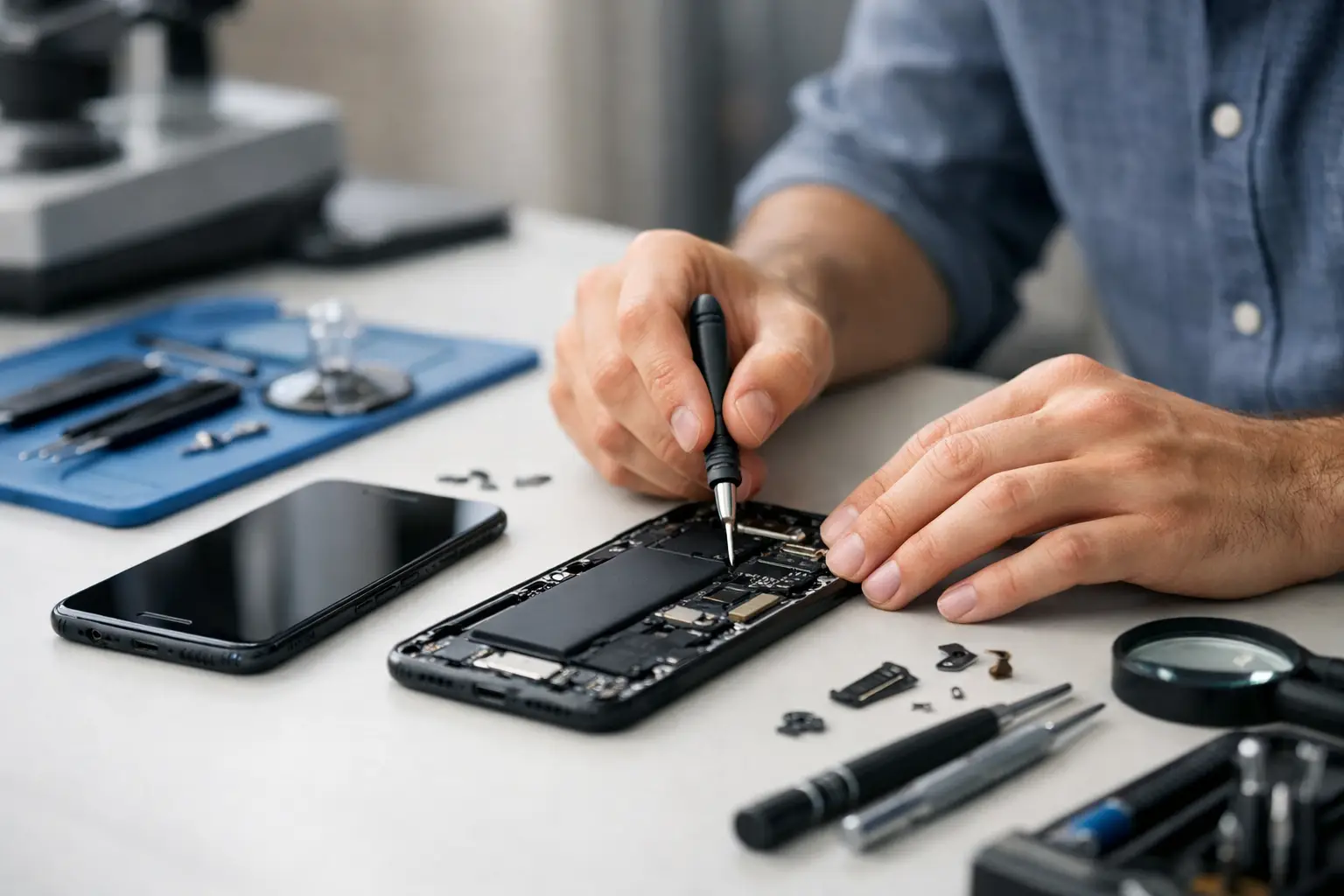
Your phone rarely breaks at a convenient moment. It happens on the way to work, just before a payment, or when you need your train ticket, maps or messages. That is why a good mobile phone repair guide should help you make a quick, sensible decision - what the fault is, what you can do straight away, and when it is better to hand it to a professional.
For most people, the real problem is not just the damage itself. It is the disruption. A cracked screen can still light up but cut your finger. A weak battery can turn a normal day into a hunt for charging points. Water damage can look minor at first, then get much worse a few hours later. The sooner you know what you are dealing with, the easier it is to avoid extra cost and downtime.
Mobile phone repair guide: start with the symptoms
The fastest way to approach any phone fault is to focus on what the device is actually doing, not what you think has gone wrong. A phone that will not charge may have a battery problem, but it could just as easily be a blocked charging port or a damaged cable. A black screen does not always mean the display is dead. Sometimes the phone is on, but the screen has failed after a drop.
Start with the basics. Check whether the phone vibrates, rings or makes notification sounds. Try a different charger and plug. Inspect the charging port for lint and debris. Look for visible cracks, lifted glass, swelling, camera fogging or signs of liquid. These clues matter because the right repair depends on the actual fault, not the most obvious one.
If the device has suffered impact and liquid exposure at the same time, the repair becomes less predictable. A screen may need replacing, but internal corrosion could also affect charging, audio or cameras. In that case, a proper inspection is worth far more than guesswork.
Cracked screen or broken display
This is the fault most people spot instantly, but there is a big difference between cracked glass and a damaged display. If the glass is cracked but the image is clear and touch still works, the damage may be limited to the outer layer. If the screen shows black patches, flickering lines, ghost touches or no image at all, the display assembly is usually the issue.
It is tempting to keep using a cracked phone if it still responds, but there are trade-offs. Small cracks spread. Dust and moisture can work their way in. Touch sensitivity often gets worse over time. More importantly, broken glass can make everyday use unsafe and frustrating.
A screen replacement is normally the right fix when the rest of the phone is working properly. The key point is quality. Poor fitting screens, weak adhesives and low-grade parts often lead to dull display quality, touch lag or gaps around the frame. A proper repair should restore both function and reliability, not just make the phone look less damaged.
Battery problems that get worse quietly
Battery faults are often gradual, which is why people put up with them for too long. If your phone drops from 30 per cent to zero, gets unusually hot, charges slowly or needs topping up several times a day, the battery is likely worn out. That is especially common on devices used heavily for maps, video, calls and mobile payments.
Battery replacement is usually straightforward when the issue is limited to battery health. The complication comes when similar symptoms are caused by something else. Charging problems can also come from a damaged port, software issue or poor-quality charging accessories. Swelling is a different matter again. If the screen is lifting or the back cover is separating, stop using the phone and get it checked quickly. A swollen battery is not one to ignore.
For many people, replacing the battery makes more sense than replacing the whole handset. If the phone still performs well and the rest of the hardware is sound, a battery repair can give it a lot more useful life. If the device is already struggling with multiple faults, that calculation changes.
Charging issues and loose ports
A phone that only charges at a certain angle is giving you a useful warning. Most of the time, the charging port has either collected compacted pocket fluff or the port itself is worn or damaged. This is very common with phones used daily on the move.
You can check for visible debris, but avoid jabbing around with anything metal. That can damage the internal pins and turn a simple clean into a bigger repair. If a fresh cable and plug do not solve it, the port may need cleaning, resoldering or replacement.
Wireless charging can muddy the picture. If wireless charging works but cable charging does not, the battery may be fine and the fault may sit entirely with the port. If neither method works, the diagnosis usually needs a closer look.
Water damage needs speed, not rice
One of the most common mistakes after liquid exposure is waiting to see what happens. The second is putting the phone in rice. Rice does not remove corrosion from inside the phone, and it does not protect the components that matter.
If your phone gets wet, switch it off if it is still on. Do not charge it. Dry the outside with a cloth and keep button pressing to a minimum. Then get it assessed as soon as possible. Time matters here because corrosion continues after the initial spill.
Water damage is one of those areas where outcomes depend on the extent of exposure. A quick splash and immediate treatment may leave you with a very repairable phone. Full submersion, salt water or sugary liquids are far harder on internal parts. Sometimes the phone can be saved but a component such as the screen, battery or charging port will still need replacing.
Camera, speaker and microphone faults
Not every repair is dramatic. Sometimes the issue is simply that your rear camera will not focus, your speaker sounds distorted or callers cannot hear you properly. These faults can still make a phone hard to live with, especially if you use it for work, travel or everyday communication.
Camera problems often come from impact damage, internal dust or failed stabilisation components. Audio faults may be caused by dirt in the speaker mesh, water exposure, torn flex cables or worn parts. Software can occasionally be the culprit, but if the problem persists across apps and after a restart, hardware is more likely.
The practical point here is that targeted repairs are usually possible. You do not always need a full rebuild or a new handset. Replacing the faulty part is often enough, provided the diagnosis is accurate.
Software trouble or hardware failure?
A slow, freezing or overheating phone is not always physically damaged. Background apps, storage issues, failed updates and corrupted software can all create symptoms that feel like hardware failure. Equally, repeated crashing can be linked to a failing battery or damaged board.
This is where a bit of caution helps. A factory reset might improve performance, but it can also wipe data if you have not backed up properly. If the phone contains important photos, messages or work files, think carefully before trying major software fixes on your own.
When data matters, repair is not just about getting the phone powered back on. It is about avoiding preventable loss. A proper assessment should take both function and data safety into account.
When repair makes sense and when it does not
Not every phone is worth repairing, and being honest about that saves time. If the device has one clear fault, such as a cracked screen or weak battery, repair is often the sensible option. If it has multiple issues, severe water damage or board-level faults on an older handset, replacement may be the better value choice.
Cost is part of the decision, but not the whole thing. You should also consider how urgently you need the device back, how dependent you are on the data stored on it, and whether the phone still suits your day-to-day use. A commuter who needs a working phone the same day may value a fast, reliable repair more than squeezing every last month out of an ageing device through repeated patch-ups.
That is why clear pricing and realistic advice matter. A trustworthy repair service will tell you when a fix is sensible and when it is not.
Choosing the right repair service
A good repair is not just about replacing a part. It is about proper diagnosis, quality components, careful fitting and a result that lasts. Ask straightforward questions: what parts are being used, how long the repair should take, whether your data should remain intact, and what happens if more than one fault is found.
Speed matters, especially in London, but speed without care is not much use. If your phone is essential for travel, banking, work and contactless payments, you want it fixed properly the first time. That is why many people choose a local specialist that can assess the issue quickly and carry out same-day work where possible. For anyone passing through central London, a convenient repair shop inside Piccadilly Circus Underground Station can make an urgent problem much easier to sort without derailing the rest of the day.
The best approach is simple. Do not ignore early signs, do not gamble with water damage, and do not assume every fault means buying a new phone. A smart repair at the right time can save money, save data and get your day back on track.