
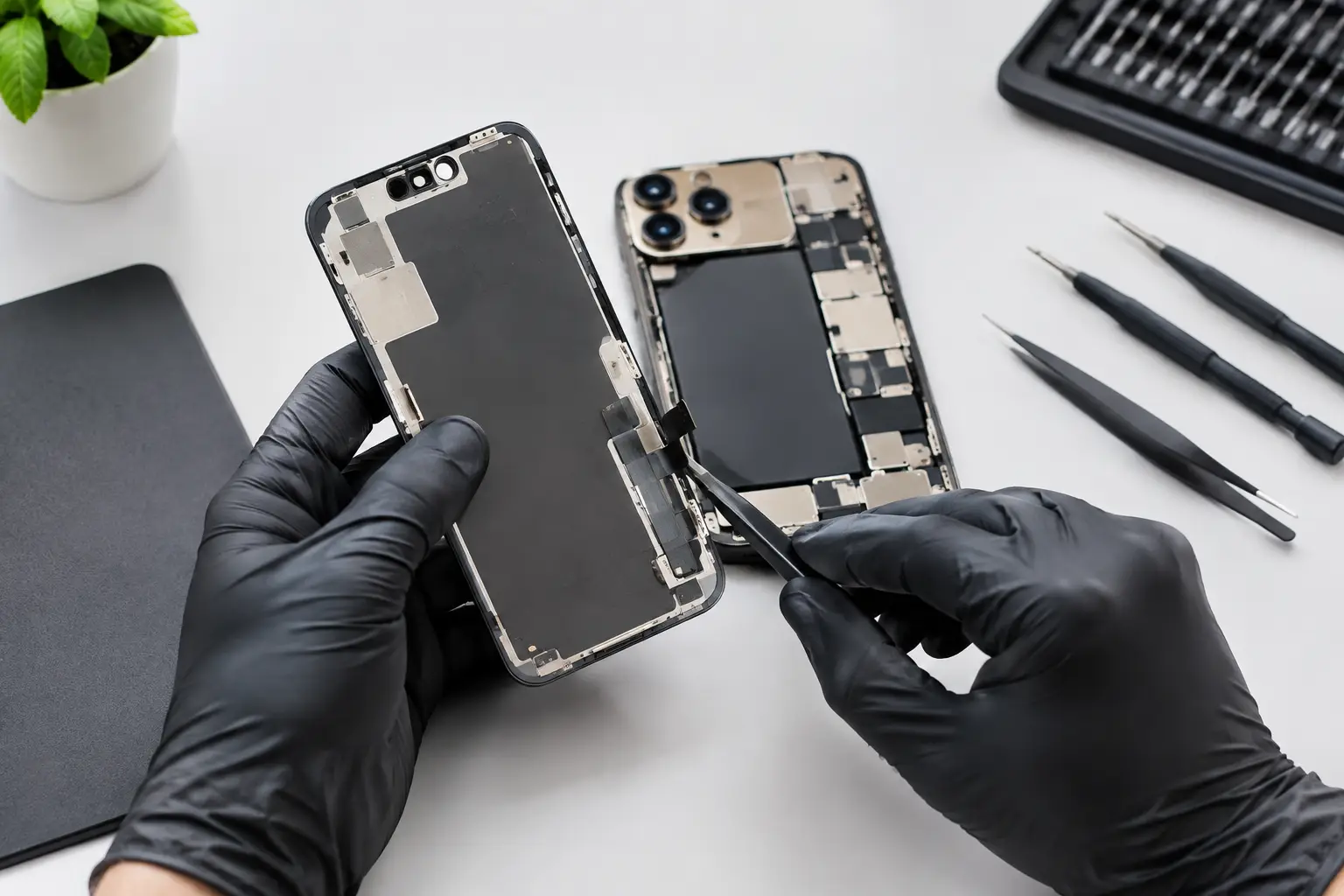
A cracked screen is frustrating. A screen that flickers, shows black patches or stops responding can bring your whole day to a halt. If you need iPhone 17 Pro Max LCD repair, the priority is simple: protect your phone, understand what has failed and get a reliable repair without unnecessary downtime.
For commuters, office workers, students and visitors in central London, a damaged phone is more than a cosmetic problem. It can mean missed calls, unavailable tickets, lost access to banking apps or a camera you cannot use when you need it. The good news is that most display faults can be diagnosed quickly, and the right repair can restore your iPhone’s display, touch response and everyday usability.
Is It Really an iPhone 17 Pro Max LCD Repair?
Many people search for an LCD repair when their iPhone screen breaks, but premium iPhones use advanced OLED display technology rather than a traditional LCD panel. In everyday terms, though, LCD repair usually means a full screen replacement.
The display assembly is not just the glass on the front of the phone. It includes the image-producing panel, touch-sensitive layer and other components that allow the screen to respond accurately to your fingers. If the glass is cracked but the display and touch function still appear normal, the damage may look minor. However, the glass, display and touch layers are bonded together, so a professional screen replacement is often the proper long-term solution.
A technician should inspect the phone before quoting for work. This matters because a drop can damage more than the visible screen. Frame damage, a weakened battery, camera faults or issues around the charging port can sometimes appear after an impact.
Signs Your Screen Needs Professional Attention
A clearly shattered front panel is the obvious sign, but screen damage is not always so easy to spot. You may need an iPhone 17 Pro Max screen repair if you notice coloured lines, flickering, dead pixels, black ink-like patches or a screen that stays dark despite the phone still vibrating or making sounds.
Touch problems are another common warning sign. Perhaps part of the keyboard will not respond, the phone taps things by itself or swipes are delayed. Do not assume a restart will solve persistent touch faults after a drop. The damage may be inside the display assembly.
Other symptoms can include an unusually dim screen, a green or white tint, flashing brightness, a lifted screen or small pieces of loose glass around the edges. A lifted display deserves prompt attention, particularly if it may be caused by battery swelling. Avoid pressing it back into place or continuing to charge the phone unattended.
What to Do Straight After Screen Damage
Start by protecting yourself and the device. If the glass is sharp or splintering, avoid running your fingers across it. A temporary screen protector or clear tape can help contain loose fragments until the phone is repaired, but it is not a substitute for a replacement screen.
Next, back up your data if the phone is still usable. A cracked display can worsen unexpectedly, especially after another knock or pressure in a pocket or bag. Backing up photos, contacts and work files gives you breathing room if the display later fails completely.
Keep the phone dry. A crack can compromise the seals designed to help resist dust and moisture. Even a small amount of rain or a spill can enter through damaged glass and create a more serious internal fault. It is also sensible to remove a tightly fitting case if it is pressing against a badly cracked screen.
If the phone becomes hot, smells unusual, has a raised display or has been exposed to liquid, stop charging it and arrange a professional assessment as soon as possible. These symptoms need more care than a standard screen repair.
Why Quality Parts and Skilled Fitting Matter
A screen replacement should make your phone feel dependable again, not introduce a fresh set of problems. Low-quality displays can have poor brightness, inaccurate colour, weak viewing angles or delayed touch response. They may also be less durable than a properly fitted quality replacement.
The fitting itself is just as important. A technician needs to open the phone carefully, inspect the frame, transfer relevant components where required and test the display thoroughly before handing the device back. A bent frame, trapped debris or loose connection can affect how the replacement screen sits and performs.
A reputable repair service should be clear about the parts being used and the expected result. Ask whether the screen will be tested for touch response, display quality, cameras, speakers, charging and other functions affected during the repair process. Clear answers are a good sign that the work is being approached properly.
There can be a trade-off between the lowest advertised price and the overall quality of the repair. The cheapest option is not always the best value if the display is dim, unreliable or needs replacing again soon afterwards. Fair pricing means knowing what you are paying for, not simply seeing the smallest number on a sign.
How Long Does an iPhone 17 Pro Max LCD Repair Take?
For a straightforward screen fault, many repairs can be completed the same day, subject to the phone’s condition and parts availability. The exact turnaround depends on whether the damage is limited to the display or whether the impact has affected other components.
A good repair process begins with a quick diagnosis. The technician checks the visible damage, tests the display and touch functions, and looks for signs of frame or liquid damage. You should receive a clear explanation of the issue and price before work begins.
Once repaired, the phone should be tested again. This is the point where a careful service stands apart from a rushed replacement. The screen should look right, respond consistently and fit securely. You should also check the phone yourself before leaving, including brightness, touch response, front camera access and face-unlock functions where applicable.
If you need help while travelling through central London, Best Tech Repair is based inside Piccadilly Circus Underground Station, making it easier to arrange a repair around work, shopping or your journey home.
Can You Keep Using a Cracked iPhone Screen?
You can sometimes keep using a phone with a small crack, but it is rarely a risk-free choice. Cracks tend to spread, particularly around the edges and corners. Once the display is exposed, moisture and dust have a better route into the phone, while broken glass can cut fingers or damage items in your pocket.
The decision depends on the severity of the damage. A light surface crack with a fully responsive display may allow you to back up your data and book a convenient repair time. Black spots, flickering, touch failures or exposed sharp glass call for faster action. Waiting can turn a screen-only repair into a more complex job.
Avoid DIY repair kits unless you have the tools, experience and confidence to handle a modern smartphone display. These repairs involve delicate connectors, adhesive and components that are easy to damage. Saving money upfront can become expensive if a cable is torn, the frame is damaged or the replacement screen is poor quality.
Before You Hand Your Phone In
Back up your iPhone if possible and make sure you know your passcode. You may be asked to disable certain security features temporarily so the device can be tested properly after repair. If you are concerned about privacy, remove sensitive information you do not need stored on the phone and ask how testing is handled.
It also helps to explain exactly what happened. Mention whether the phone was dropped, bent, exposed to water or began showing faults after an update. Details such as these help a technician distinguish a display problem from a separate software or internal hardware issue.
A damaged screen does not have to derail your week. Get it assessed early, choose a repairer that is clear about parts and pricing, and give your iPhone the careful repair it needs to get back to working properly.