
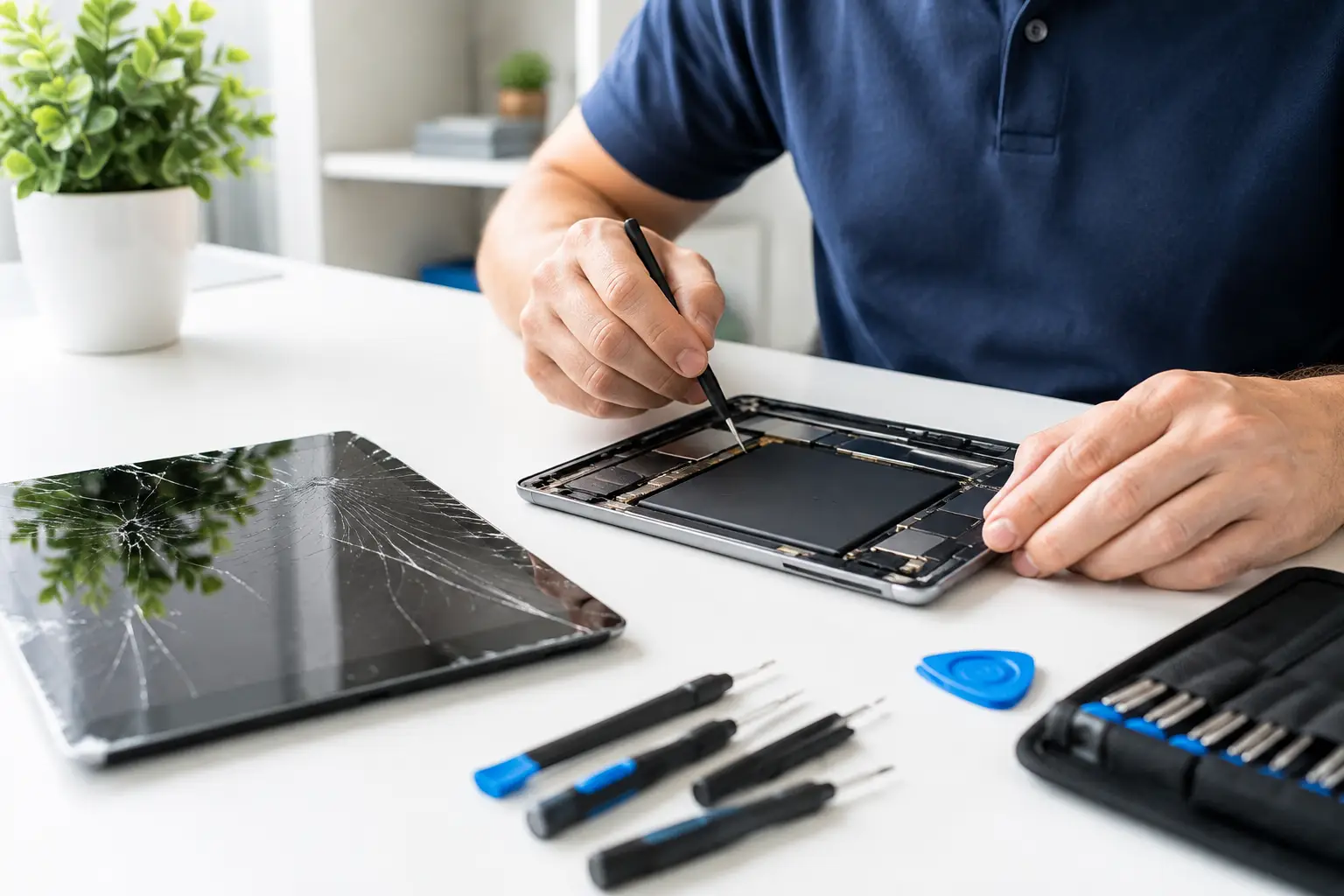
A cracked tablet screen on the morning of a presentation, a battery that dies halfway through a train journey, or a device that refuses to charge can stop your day quickly. Tablet repair is often faster and better value than replacing a device you still rely on for work, study, travel or family life. The right choice depends on the fault, the age of the tablet and whether the repair will give you reliable use for the months ahead.
When Tablet Repair Is Worth It
For many common faults, repairing a tablet makes good sense. Screens, batteries, charging ports, cameras and speakers are all parts that can fail or become damaged while the rest of the device remains perfectly usable. A professional repair can restore the tablet without the expense and disruption of buying a new one, setting it up and moving everything across.
A screen replacement is usually worthwhile when the display still works underneath the cracks, or when the tablet has a blacked-out, flickering or unresponsive screen after a drop. Continuing to use damaged glass is not just frustrating. Splinters, sharp edges and a weakened screen can allow dust or moisture into the device, potentially turning one repair into several.
Battery replacement is another common decision. If your tablet needs charging more than once a day, shuts down unexpectedly or takes far longer to charge than it used to, the battery may be worn. Tablets are designed to be portable, so a weak battery quickly removes their main advantage. Replacing it can give an otherwise good device a useful second life.
Charging issues can also look more serious than they are. Sometimes lint packed into the charging port prevents the cable from connecting properly. In other cases, the port, cable, plug or internal charging circuit needs attention. A proper diagnosis identifies the real cause before money is spent on the wrong fix.
Signs You Should Not Wait
Not every tablet problem needs an emergency visit, but some symptoms should be checked promptly. Heat, swelling, liquid exposure and sudden loss of data are all reasons to stop guessing and get professional help.
If the back of the tablet is lifting, the screen is separating from the frame or the device feels unusually hot, switch it off and avoid charging it. These can be signs of a swollen battery. Do not press the casing back into place or try to puncture the battery. It needs safe handling.
After a spill, turn the tablet off as soon as possible. Do not charge it, use a hairdryer or leave it on a radiator. Heat can push moisture further inside, while charging a wet device can cause additional damage. Fast assessment gives the best chance of limiting corrosion and protecting your data.
A tablet that repeatedly restarts, freezes at the logo or becomes extremely slow may have a software fault rather than a broken component. However, storage failures and battery problems can produce similar symptoms. This is why a diagnosis matters. Resetting the device without checking first could also put photos, notes and files at risk.
Repair or Replace: The Practical Test
The easiest way to decide is to look at the tablet's overall condition, not just the visible fault. A recent model with a damaged screen is normally a strong repair candidate. So is a device that has been reliable apart from a battery that no longer holds charge.
Replacement may be the better option if the tablet has several major faults at once, no longer supports the apps or security updates you need, or has suffered severe internal damage. It can also make less sense to repair an older entry-level model when the cost comes close to a newer device with significantly better performance.
Before deciding, think about what the tablet is used for. A child’s tablet used for videos and schoolwork may not need the latest specifications, so a screen or charging repair can be very good value. For an office worker who needs video calls, large files and current software, performance and update support may carry more weight.
The key is transparent advice. You should know what is wrong, what the repair involves and what it will cost before authorising work. A reliable repair shop should explain the options clearly rather than pushing a repair that does not suit your device or budget.
What Affects the Cost of a Repair?
Tablet repair costs vary because tablets are built differently. Some screens are straightforward to replace, while others are bonded to the display and touch layer as one complete assembly. Premium devices can also need more time to open safely and parts may cost more.
The make and model matter, but so does the type of damage. A cracked outer glass panel is different from a failed display, a damaged touch layer or a bent frame. If a tablet has been dropped hard, the technician may need to check the housing, internal connectors and cameras as well as the screen itself.
Part quality is equally important. A cheaper repair is not always better value if it leaves you with poor brightness, unreliable touch response, weak battery life or a screen that does not sit correctly. Ask what parts will be used and whether the repair is covered by a warranty. Clear answers are a good sign that the work is being done properly.
Whenever possible, back up your tablet before handing it in. Save photos, documents and app data to your preferred cloud service or transfer them to another device. If the tablet will not turn on, tell the technician that the data matters before any repair or software work begins.
You may be asked to provide the device passcode or remove activation locks so testing can be completed after the repair. Only use a repair service you trust, and make sure you understand why access is needed. A good technician will respect your privacy and only use access necessary to diagnose and test the fault.
If your tablet is still working, take a few minutes to check its condition before you leave it. Test the cameras, speakers, buttons, touchscreen and charging connection. This creates a clear starting point and helps everyone confirm that the repaired device is functioning as expected when you collect it.
What Professional Tablet Repair Should Include
The best repairs start with an inspection, not an assumption. A technician should check the tablet, confirm the fault and identify any issues that could affect the result. This is particularly important after liquid damage or a heavy impact, where hidden damage is possible.
Once the repair is agreed, the work should be completed carefully using suitable tools and quality parts. Afterward, the tablet should be tested for the functions related to the repair. Following a screen replacement, that means more than simply turning the display on. Touch response, brightness, cameras, buttons and charging should all be checked.
Speed matters when a tablet is part of your daily routine, but rushed work is rarely a bargain. Many straightforward faults can be repaired the same day, depending on the model and parts availability. For commuters and workers in central London, Best Tech Repair at Piccadilly Circus Underground Station offers a convenient place to get a device assessed without losing a whole day to the problem.
Keep the Repair From Becoming a Repeat Problem
A case and tempered glass protector will not make a tablet indestructible, but they can reduce the impact of everyday knocks. Avoid leaving it loose in a bag with keys, chargers or heavy items, and never carry it by the charging cable.
Battery care also makes a difference. Use a suitable charger, avoid regularly letting the battery run completely flat and keep the tablet away from high heat. If the charging port starts feeling loose or only works at a certain angle, have it checked early rather than forcing the cable into place.
Your tablet does not have to be new to be useful. When the problem is diagnosed accurately and the repair is done with care, a damaged device can return to the job it does best: keeping your work, plans, entertainment and important information close at hand.