
A tablet that drops from 40% to flat before lunch is more than an annoyance. It can interrupt work, lectures, travel plans and the small everyday tasks you rely on it for. A professional tablet battery replacement service can restore dependable battery life without the cost and disruption of replacing a device that still does everything else you need.
Battery problems are easy to put off, especially when the tablet still turns on. But a weak or swollen battery can get worse quickly. The right repair starts with an honest diagnosis, clear pricing and quality replacement parts fitted by an experienced technician.
When to book a tablet battery replacement service
Most tablet batteries lose capacity gradually. You may first notice that you are charging more often, then find the percentage falls unexpectedly or the tablet switches itself off with charge remaining. These are common signs of battery wear, particularly on a device that has had daily use for several years.
A replacement is worth considering if your tablet drains unusually quickly even when you are only browsing or streaming, takes far longer than usual to charge, becomes hot while charging, or only works properly when plugged in. Random restarts and a battery percentage that jumps up or down can also point to a battery that is no longer holding a stable charge.
The clearest warning sign is a screen that is lifting away from the frame or a back cover that no longer sits flat. This can indicate a swollen battery. Stop using and charging the tablet where possible, avoid pressing the screen back into place, and arrange an inspection promptly. A swollen battery should never be ignored or treated as a cosmetic issue.
Not every charging problem is caused by the battery. A damaged charging port, faulty cable, software issue or internal power fault can produce similar symptoms. That is why a proper assessment matters. Replacing a battery when the real issue is elsewhere wastes time and money.
What happens during a tablet battery repair
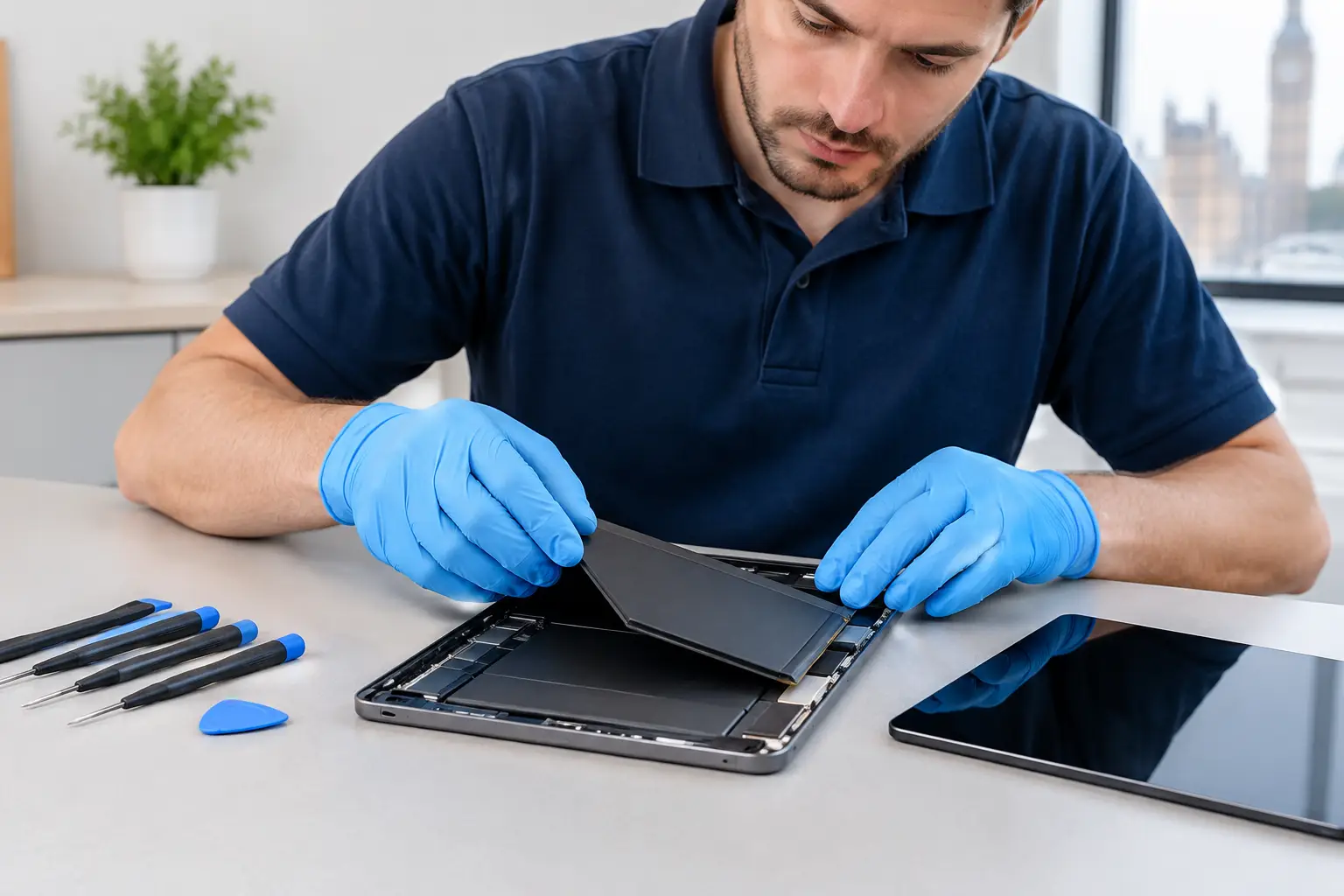
Tablets are built differently from many laptops and older phones. On many models, the battery is secured behind a bonded screen or rear panel, with delicate display cables, connectors and internal components close by. Safe battery replacement requires the right tools, careful heat control and a technician who understands the layout of your particular device.
First, the tablet is checked to confirm the fault and identify any additional damage. The technician then opens the device carefully, disconnects the old battery and installs a compatible replacement. Adhesives, seals and internal connections are handled with care to ensure the tablet is reassembled properly.
Once fitted, the device should be tested for charging behaviour, power stability, touch response and general operation. A good repair is not simply about getting a battery into the device. It is about making sure your tablet is safe, secure and ready to use again.
Repair time depends on the make, model and condition of the tablet. Some battery repairs can be completed the same day, while others need more time because of part availability or a more complex internal design. A reliable repair service will set expectations before work begins rather than making promises it cannot keep.
Will your data be affected?
A battery replacement usually does not require your data to be erased. Your photos, documents, apps and settings should remain on the tablet. Even so, backing up important files before any repair is sensible whenever the device is working well enough to do so.
If the tablet will not power on because the battery has failed, a technician can assess whether a replacement battery may allow access to your files again. This is not guaranteed, especially where there has also been liquid damage or a separate board fault, but it is often a worthwhile first step.
Repair or replace your tablet?
Replacing the battery is often the more sensible choice when the screen, cameras, buttons and charging connection are otherwise in good condition. A new battery can give an older iPad, Samsung Galaxy Tab or other tablet a useful second life for work, study, entertainment and travel.
The decision changes if there are several expensive faults at once. For example, a cracked display, damaged frame, unreliable charging port and failed battery may make replacement more practical, depending on the model and its current value. Very old tablets can also be limited by software support, even with a fresh battery.
The best approach is straightforward: get the device checked, understand the full condition and compare the repair cost with what you need the tablet to do. If it still meets your needs, a battery repair can be a cost-effective way to avoid unnecessary waste and keep a familiar device in use.
Signs your tablet is worth repairing
A battery replacement is often a good move if the tablet holds up well in every area except battery life. That includes a clear screen, responsive touch, stable charging connection, decent speed and storage that still meets your needs.
It is also a positive sign if the tablet has no history of liquid damage or repeated repair issues. A single worn battery in an otherwise healthy device is a straightforward problem. That is very different from a tablet that has been dropped several times, has intermittent faults and needs constant work.
Swelling is another issue that should be dealt with quickly. A swollen battery can push against the screen and internal components, and it should not be ignored. In that situation, repair is not just about convenience - it is about preventing further damage.
Signs a new tablet is probably better
If your tablet freezes often, struggles to run basic apps, has poor storage, stops supporting essential software or has visible hardware wear in multiple areas, replacement is usually the stronger option. The same goes for devices with expensive faults beyond the battery.
You should also think carefully if the tablet has a damaged screen and poor battery life together. Either repair can be worth doing on its own, but combined costs may tip the balance. Once you are paying for several major parts, the value equation changes.
This is where clear pricing and straightforward advice matter. You want to know whether the repair will genuinely extend the life of the device, not just get it working for a short while.
Why quality parts and fitting matter
The lowest quote is not always the best value. Tablet batteries vary in quality, capacity and reliability. Poor-quality parts may drain quickly, overheat, fail early or cause inaccurate battery readings. Incorrect fitting can damage the display, leave the screen sitting unevenly or compromise the device during reassembly.
Choosing a reputable repairer means knowing the work is being carried out with care. Ask whether the battery is compatible with your exact model, what testing is completed after the repair and whether the price includes fitting. Clear answers are a good sign that you are dealing with a service focused on getting the job done right the first time.
It is also worth being cautious with do-it-yourself battery kits. They can look like a cheaper fix, but tablets are not designed for casual opening. Without the proper tools and experience, it is easy to crack a screen, tear a cable, puncture a battery or lose the tablet's original fit and finish. For a device you rely on every day, professional repair is usually the lower-risk option.
Getting more life from your new battery
A replacement battery will naturally perform best when paired with sensible charging habits. There is no need to obsess over keeping the charge at one exact percentage, but a few practical choices can reduce unnecessary strain.
Avoid leaving your tablet in direct sunlight, on a radiator or in a hot car. Heat is one of the biggest causes of battery wear. Use a good-quality charger suited to your device, and replace damaged cables rather than forcing them into the port. If the tablet gets unusually hot during charging, unplug it and have it checked.
Keeping software updated can also help. Updates may improve power management and fix background processes that are draining the battery faster than expected. If battery life suddenly changes after installing a new app, check its permissions and background activity before assuming the battery has failed.
For tablets used mainly at home or in an office, do not leave them permanently charging for weeks at a time if it can be avoided. Regular use and sensible charging will serve most people better than treating the device like it needs constant power.
Fast help in central London
When your tablet is part of your commute, coursework or working day, being without it is inconvenient. Best Tech Repair offers a convenient option for customers who need a tablet assessed quickly, with a location inside Piccadilly Circus Underground Station that is easy to reach while you are already in central London.
Bring the tablet in with its charger if you can, particularly if you are seeing intermittent charging or power issues. This gives the technician a clearer picture of the fault and helps rule out problems with the cable or plug.
A failing battery does not have to mean the end of a tablet you know and rely on. Have it checked early, choose a repairer who explains the options plainly, and you can get back to using your device with far less worry about the next charge.