
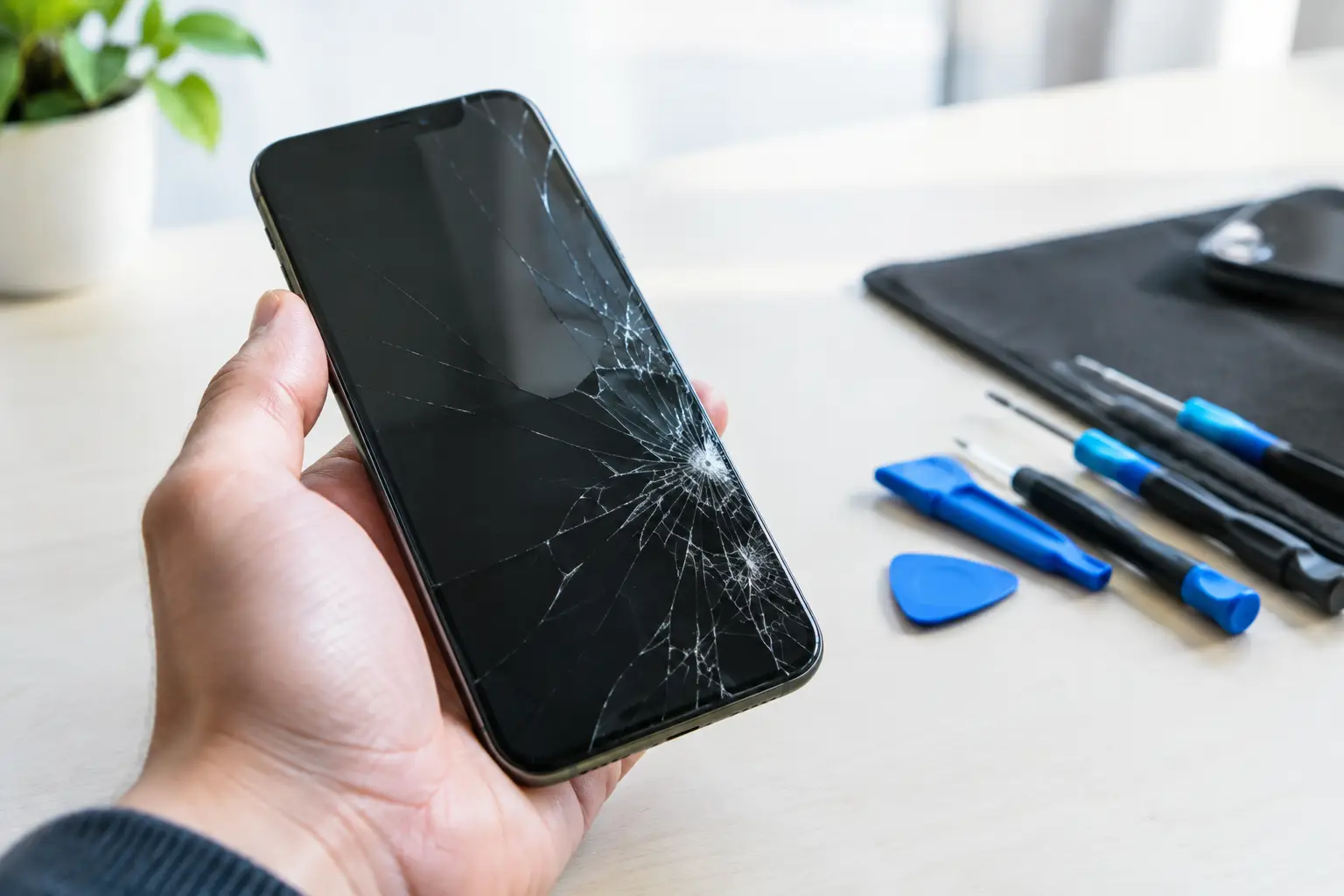
A cracked phone screen is rarely just a cosmetic problem. One small drop on the pavement can leave you dealing with sharp glass, missed touches, black patches, flickering, or a display that stops working when you need your phone most. Fast, professional screen repair helps protect the device you rely on for travel, work, payments, photos and everyday messages.
The sensible next step depends on what has actually been damaged. Sometimes the glass is cracked but the display still works normally. In other cases, the impact affects the touch layer or the screen underneath. Knowing the difference can save you from a bigger problem later.
Screen repair is more than replacing cracked glass
Your screen is made up of several layers. The outer glass protects the device, the display produces the image, and the touch layer registers every tap, swipe and pinch. On many modern phones and tablets, these parts are closely bonded together. That is why a proper repair often means replacing the complete screen assembly rather than fitting a thin piece of glass over the top.
This is not about making the device look new again, although that matters. A quality screen replacement should restore clear image quality, accurate touch response and secure fitting around the frame. It should also allow features such as brightness adjustment, face recognition and fingerprint functions to work as expected where the device supports them.
A cheap repair can be tempting when you are in a hurry. However, poor-quality parts may have duller colours, weaker brightness, slower touch response or a less secure fit. The best value is not always the lowest upfront price. It is a repair that works properly and does not leave you returning a few days later with another fault.
Signs you should not put off a repair
A hairline crack may seem manageable, particularly if your phone is in a case and still responding normally. But cracks spread under pressure, often from being in a pocket, bag or coat. Moisture and dust can also enter through damaged glass, increasing the chance of further internal faults.
Arrange a repair promptly if the screen has black spots, coloured lines, flickering, dead areas, ghost touches or an image that comes and goes. These usually point to display damage, not just surface glass damage. A screen that is lifting away from the frame also needs attention, as the impact may have bent the housing or damaged the adhesive.
Take extra care if the glass is splintered. Broken edges can cut fingers, catch on clothing and make the display less safe to use. Covering the area with a screen protector or clear tape may help temporarily, but it is not a replacement for a proper repair.
What affects the cost of screen repair?
There is no single price for every repair because devices vary widely. A compact older handset is usually simpler and less expensive to repair than a recent premium phone with an OLED display, curved edges or integrated fingerprint technology. Tablets, smartwatches and laptops also have different parts, fitting methods and testing requirements.
The extent of the damage matters too. If the screen is cracked but the frame remains straight and the phone powers on normally, the repair may be straightforward. If the frame is bent, the battery has been affected, the rear glass is damaged or the device has taken in moisture, more work may be needed before a replacement screen can sit correctly.
Part quality is another genuine consideration. A reputable repair service should be clear about the part being fitted and the price before work begins. Ask questions if anything is unclear. Honest advice is especially useful if you are deciding whether to repair an older device or put the money towards an upgrade.
Before you hand over your device
A damaged display can make preparation awkward, but a few quick checks can prevent unnecessary stress. If your phone still responds, back up important photos, contacts and files. Make sure you know your passcode, and remove any payment cards or travel cards stored inside the case.
If you use an authenticator app, check that you have access to recovery codes or another signed-in device. This small step can matter more than people expect if the phone becomes unusable before it is repaired.
You do not normally need to erase a device for a screen replacement, but privacy should always be respected. A professional technician may need your passcode only to test touch response, cameras, speakers and other functions after the repair. If you are uncomfortable sharing it, ask whether you can enter it yourself during collection or testing.
Why a fast repair is useful, not just convenient
For most people, a broken screen interrupts far more than social media. It can mean no boarding pass at the airport, no access to work messages, difficulty finding your way across London, or a missed call from family. Waiting days for a repair is not always practical.
Same-day service is particularly useful when the device is otherwise working and the correct replacement part is available. At Best Tech Repair, inside Piccadilly Circus Underground Station, customers can bring in a damaged device while travelling through central London rather than arranging a courier or giving up a phone for an extended period.
That said, fast should never mean rushed. A good repair includes checks before and after fitting the screen. The technician should confirm the display, touch sensitivity, charging, cameras, speakers and buttons are working, then make sure the screen is aligned and securely fitted. If there is a wider fault, you should be told clearly rather than being sold a screen replacement that will not solve the real issue.
Can you keep using a cracked screen?
You can, in some cases, but it is a calculated risk. If the damage is only a light surface crack, the display is stable and touch works everywhere, you may be able to use the device briefly with a protective case and screen protector. Treat it carefully and arrange a repair when you can.
Do not rely on it if the display is failing, the glass is sharp, the phone gets unusually hot, or the screen is separating from the body. These signs can point to problems beyond the display. A swollen battery, for example, can push the screen upwards and needs urgent professional assessment. Do not press the screen back into place or attempt to puncture anything.
DIY screen kits are also a gamble. They may suit someone experienced with electronics and prepared to accept the risk, but modern devices are tightly packed. Incorrect tools, excess heat or a damaged cable can turn a screen repair into a more expensive fault. Water resistance can also be affected if the device is not resealed correctly.
Choosing a repair service you can trust
Look for clear pricing, straightforward communication and technicians who explain what they have found in plain English. You should know whether the quoted work covers the full screen assembly, what part quality is being used, and whether the repair comes with a service warranty.
It is also worth choosing a repairer that works across more than one type of device. If testing reveals a battery, charging port, camera or software issue alongside the broken screen, an experienced team can assess the whole problem rather than treating one visible symptom.
A cracked display is frustrating, but it does not have to derail your day. Protect the device, back up what you can, and get it checked before a small crack becomes a screen failure at the worst possible moment.